
What Is JSON? A Beginner-Friendly Guide with Examples
Learn what JSON is, how it works, why developers use it, and how to format, validate and read JSON with free online tools and practical examples.
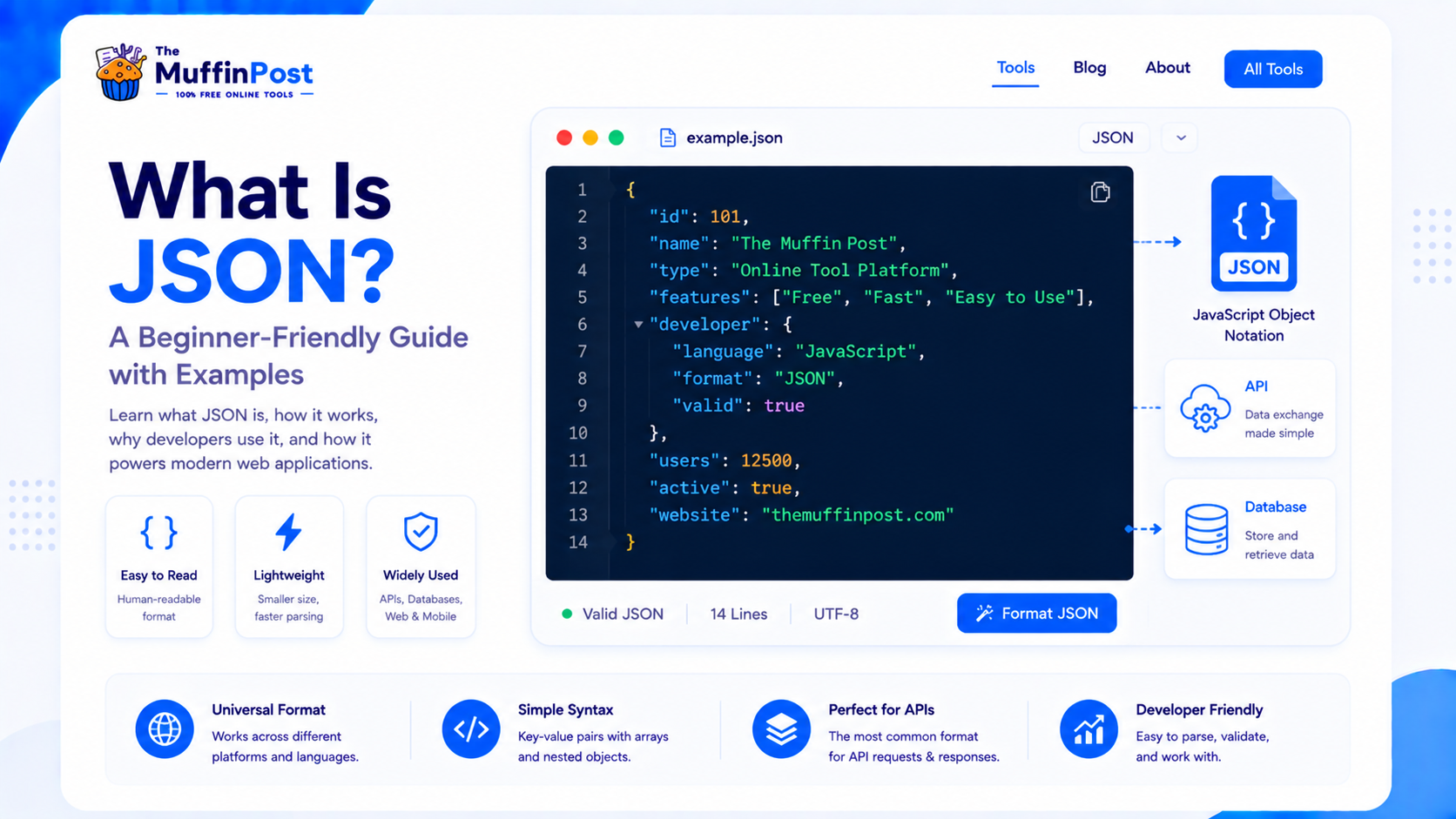
Quick summary
JSON stands for JavaScript Object Notation. It is a lightweight data format used to store and exchange information between apps, websites, APIs and servers. JSON is popular because it is easy for humans to read and easy for machines to parse.
Key takeaways
- JSON is a simple text-based format for structured data.
- It uses objects, keys, values, arrays and nested structures.
- Developers use JSON in APIs, configuration files, databases and web applications.
What is JSON?
JSON is a readable format for organizing data as key-value pairs. Although the name comes from JavaScript, JSON is language-independent and is used by many programming languages, including Python, PHP, Java, JavaScript, Go and Ruby.
A JSON file can represent simple information like a user profile, product details, settings, API responses or a list of items. Because JSON is text-based, it can be sent across the web easily and stored in files or databases.
Why developers use JSON
Developers use JSON because it is compact, flexible and easy to work with. It is especially common in APIs, where one system needs to send information to another system quickly.
- Sending data between a website and a server.
- Returning API responses.
- Saving app settings and configuration.
- Storing structured data in a readable format.
- Sharing information between different programming languages.
JSON structure explained
JSON is built from a small set of rules. The most common parts are objects, keys, values, arrays and nested objects. Once you understand these pieces, reading JSON becomes much easier.
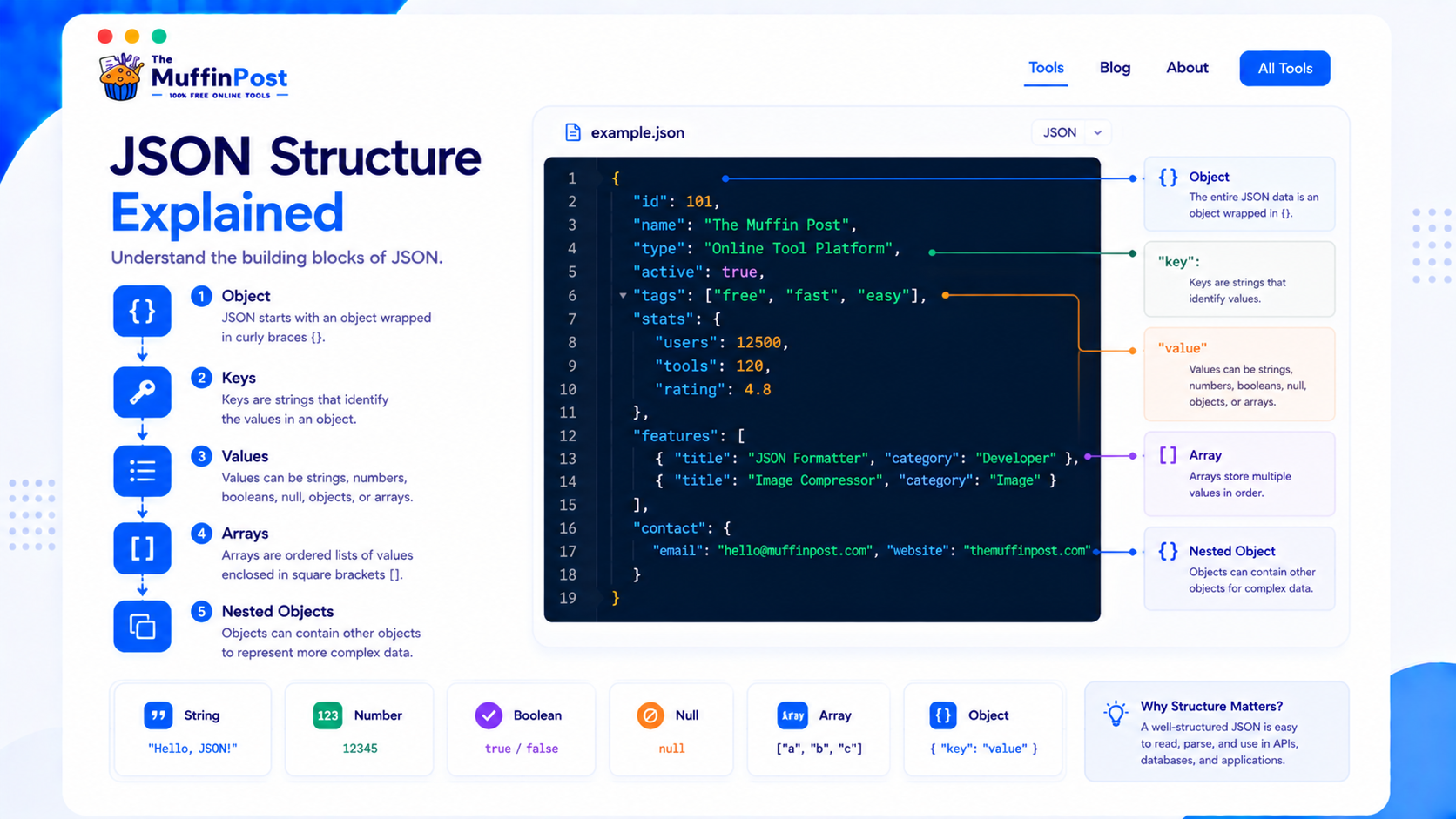
| JSON part | What it means | Example |
|---|---|---|
| Object | A group of related data wrapped in curly braces | { } |
| Key | The name of a data field | "name" |
| Value | The data assigned to a key | "Alex" |
| Array | A list of values wrapped in square brackets | ["HTML","CSS"] |
| Nested object | An object inside another object | "address": { } |
JSON data types at a glance
JSON supports a small set of data types. Understanding them helps you read API responses and configuration files correctly.
Strings and numbers
Strings use double quotes, while numbers are written without quotes.
Booleans and null
JSON supports true, false and null as special values.
Objects and arrays
Objects group key-value pairs, while arrays store ordered lists of values.
A simple JSON example
Here is a simple JSON object representing a user profile. It includes text values, a number, a list and a boolean value.
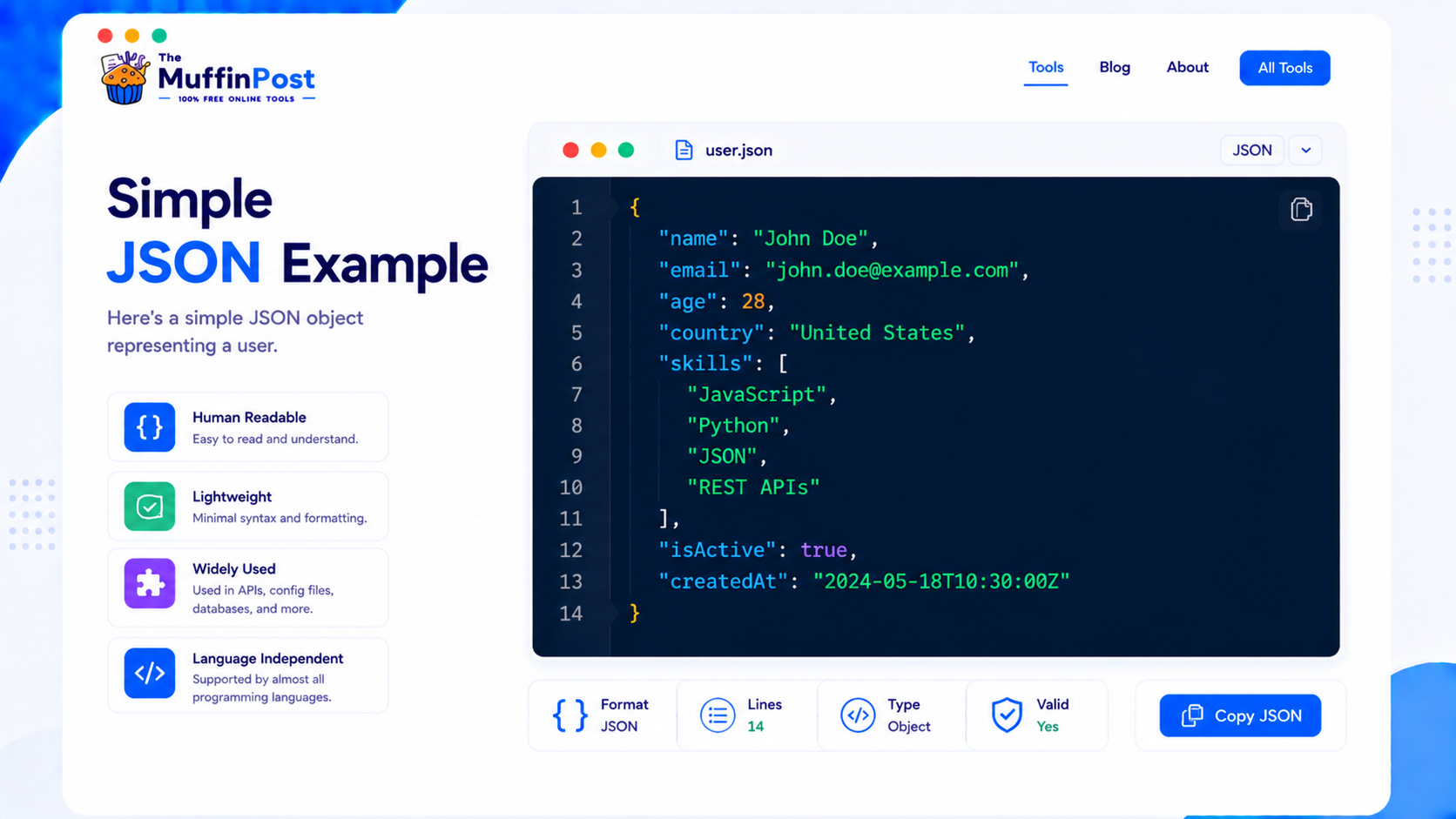
{
  "name": "Alex Morgan",
  "email": "alex@example.com",
  "age": 29,
  "country": "United States",
  "skills": ["HTML", "CSS", "JavaScript"],
  "active": true
}
In this example, each key has a value. The skills key contains an array, and the active key uses a boolean value. JSON can store strings, numbers, booleans, arrays, objects and null values.
Complete JSON workflows
Most JSON tasks involve more than reading the data. Developers often format, validate, convert or encode it before using it in an application.
JSON vs XML: what is the difference?
JSON and XML are both used to structure and exchange data. XML uses opening and closing tags, while JSON uses key-value pairs. JSON is usually shorter and easier to read for modern web development.
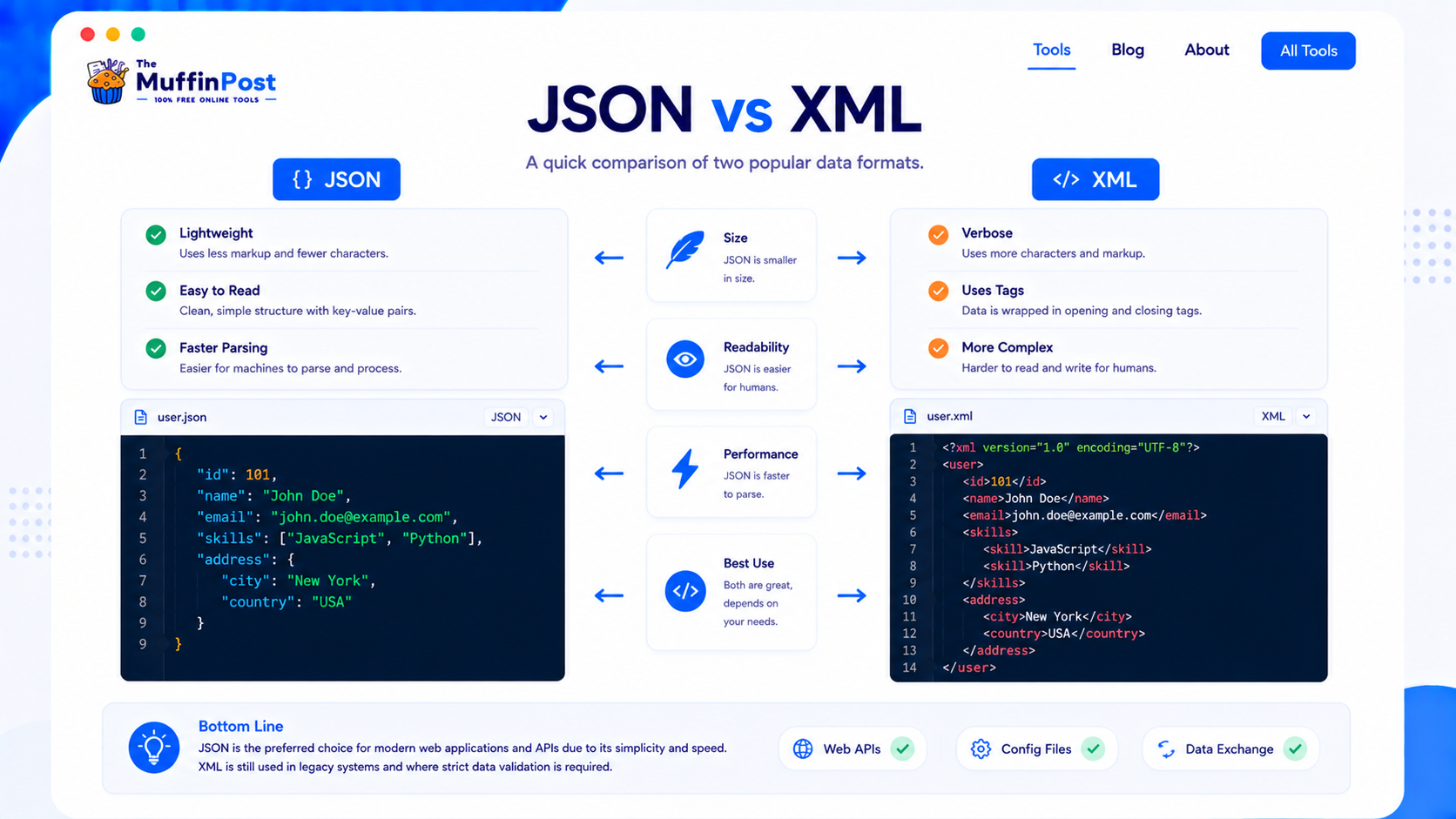
| Feature | JSON | XML |
|---|---|---|
| Readability | Simple key-value format | Tag-based and more verbose |
| File size | Usually smaller | Usually larger |
| Common use | APIs and web apps | Legacy systems and documents |
| Parsing | Fast and common in JavaScript | More complex in many workflows |
JSON is not always better in every situation, but it is the default choice for many modern APIs because it is lightweight and easy to process.
Common JSON errors
JSON is strict. A small syntax mistake can make the entire JSON invalid. The most common errors include missing commas, extra commas, invalid quotes, missing brackets and incorrect nesting.
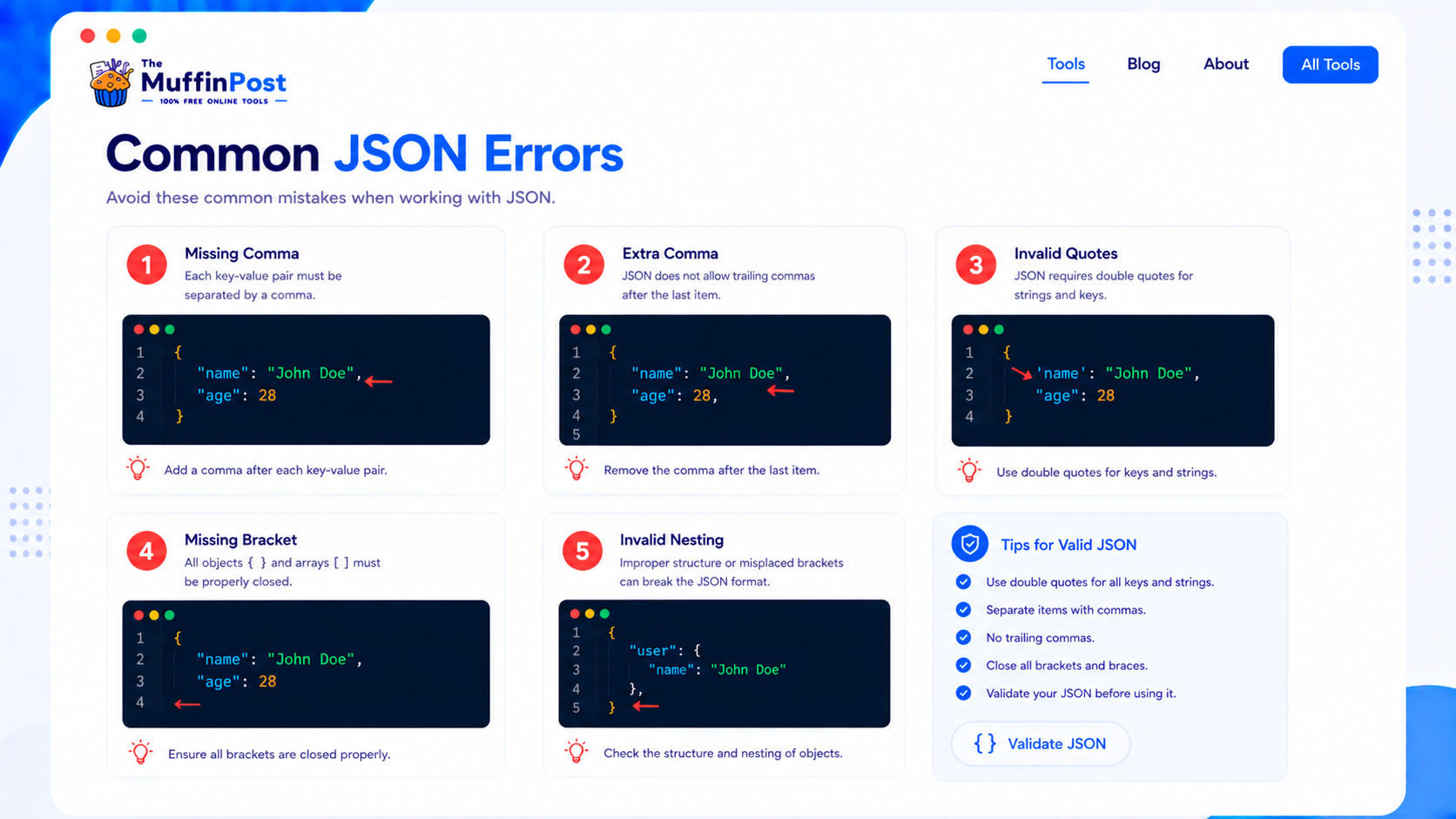
JSON strings must use double quotes. Single quotes are not valid JSON.
A comma after the last item in an object or array can make JSON invalid.
Every opening bracket or brace must have a matching closing bracket or brace.
JSON best practices
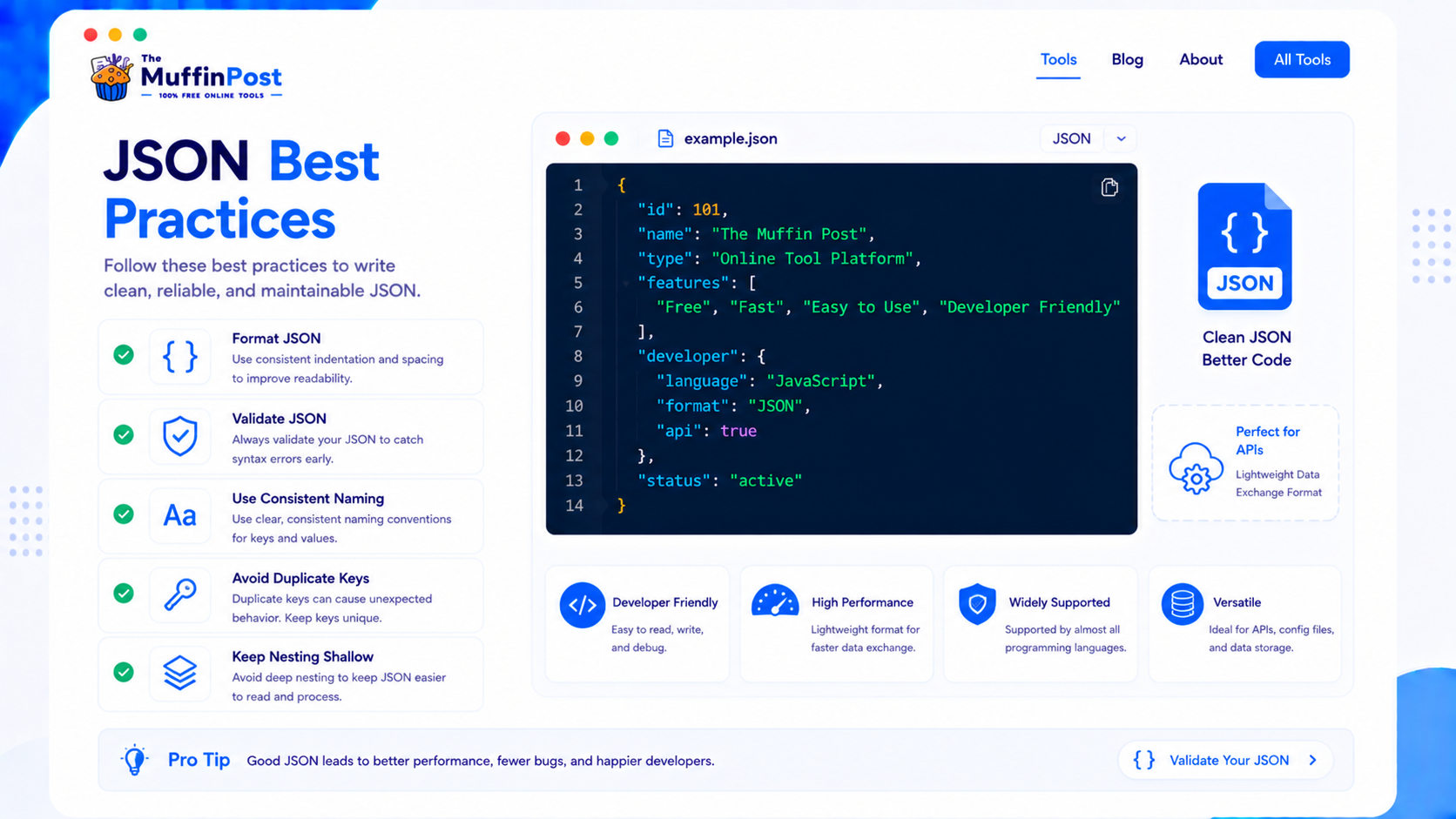
Format your JSON
Formatted JSON is easier to read, debug and share with other developers.
Validate before using
Always check JSON syntax before using it in production or sending it to an API.
Keep nesting simple
Deeply nested JSON can become hard to understand and maintain.
firstName, user_id or email. Avoid mixing naming styles in the same file.Start here: format and validate JSON
Beautify JSON, detect syntax errors and continue with JSON-to-XML or related developer workflows.
Open JSON FormatterLearn JSON ValidationDeveloper Learning Center
Continue with the complete JSON, encoding and data-format guide collection.
Frequently asked questions
What does JSON stand for?
JSON stands for JavaScript Object Notation. It is a lightweight text format used to store and exchange structured data.
What is JSON used for?
JSON is used for APIs, web applications, configuration files, app settings, databases and data exchange between systems.
Is JSON only for JavaScript?
No. JSON comes from JavaScript syntax, but it is used by many programming languages and platforms.
Is JSON easy to learn?
Yes. JSON is beginner-friendly because it uses simple objects, keys, values and arrays.
What is a JSON object?
A JSON object is a collection of key-value pairs wrapped in curly braces.
What is a JSON array?
A JSON array is a list of values wrapped in square brackets. Arrays can contain strings, numbers, objects and other values.
How do I format JSON?
You can use a JSON Formatter to beautify messy JSON and make it easier to read.
How do I validate JSON?
You can use a JSON Validator to check whether your JSON syntax is correct and find errors.

About the author
The MuffinPost Editorial Team creates practical guides for online tools, productivity, file conversion, calculators, marketing workflows and developer utilities.
Continue your developer workflow
Format JSON, validate data, convert formats, encode content and debug development tasks with free browser-based tools.
Format JSON NowLearn JSON ValidationBrowse Developer Tools