
Encode vs Encrypt: What's the Difference?
Learn the difference between encoding and encryption, when to use each, why Base64 is not encryption and how to avoid common security mistakes.
Quick summary
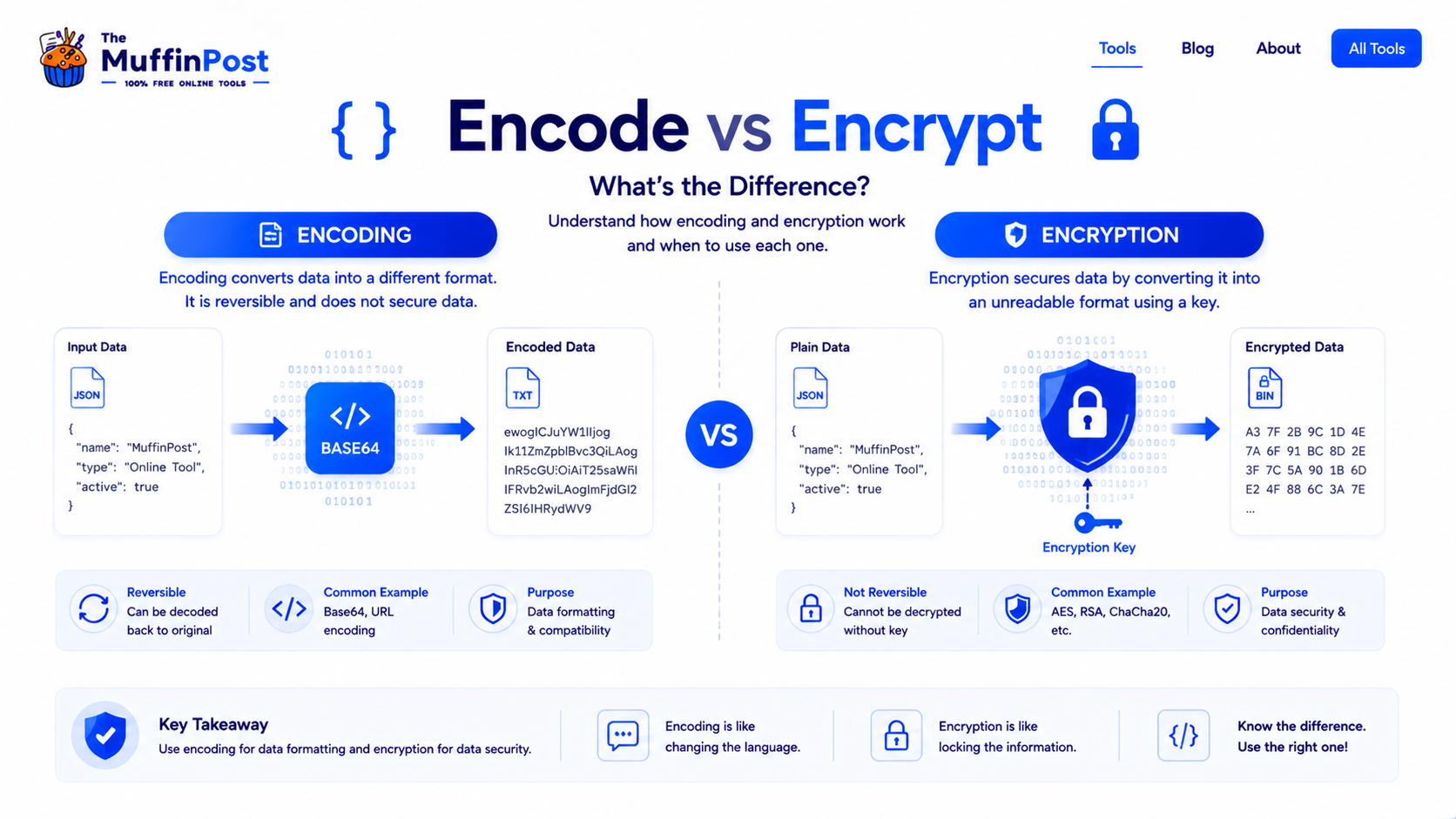
Encoding changes data into another format so it can be stored, transmitted or read correctly. Encryption protects data by making it unreadable without a key. Encoding is not security. Encryption is designed for security.
Key takeaways
- Encoding is used for compatibility, transfer and representation.
- Encryption is used to protect sensitive data from unauthorized access.
- Base64 is encoding, not encryption, and should not protect private data by itself.
What is encoding?
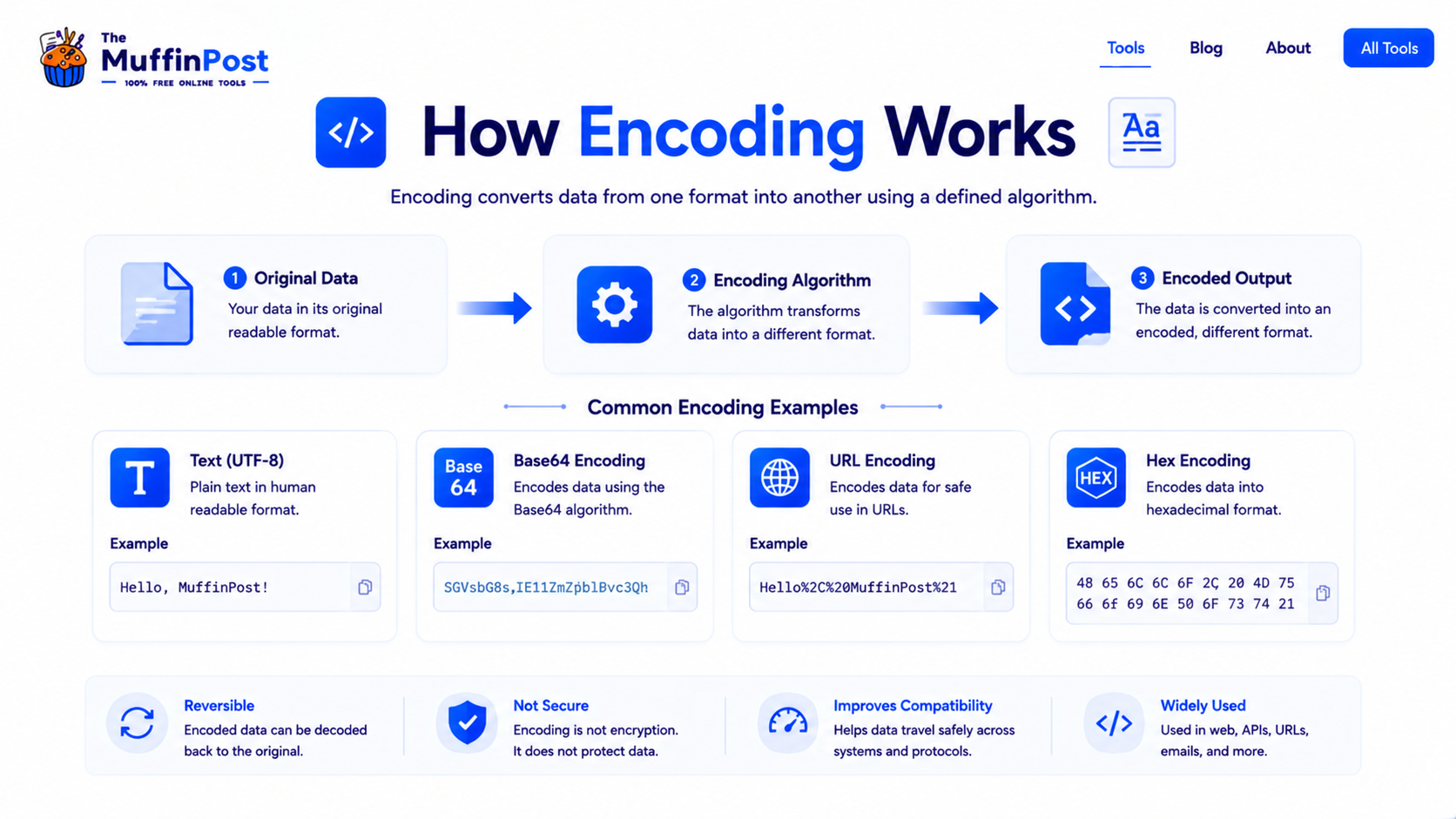
Encoding is the process of converting data from one format into another format. The goal is usually compatibility, transport or readability by another system. Encoded data is meant to be reversible by anyone who knows the encoding method.
For example, Base64 can convert binary data into text-safe characters. URL encoding can convert spaces and special characters into a format that works correctly inside URLs.
Common encoding examples
- Base64: represents binary data as text.
- URL encoding: makes special characters safe inside URLs.
- HTML encoding: displays reserved characters safely in HTML.
- Hex encoding: represents bytes as hexadecimal characters.
What is encryption?
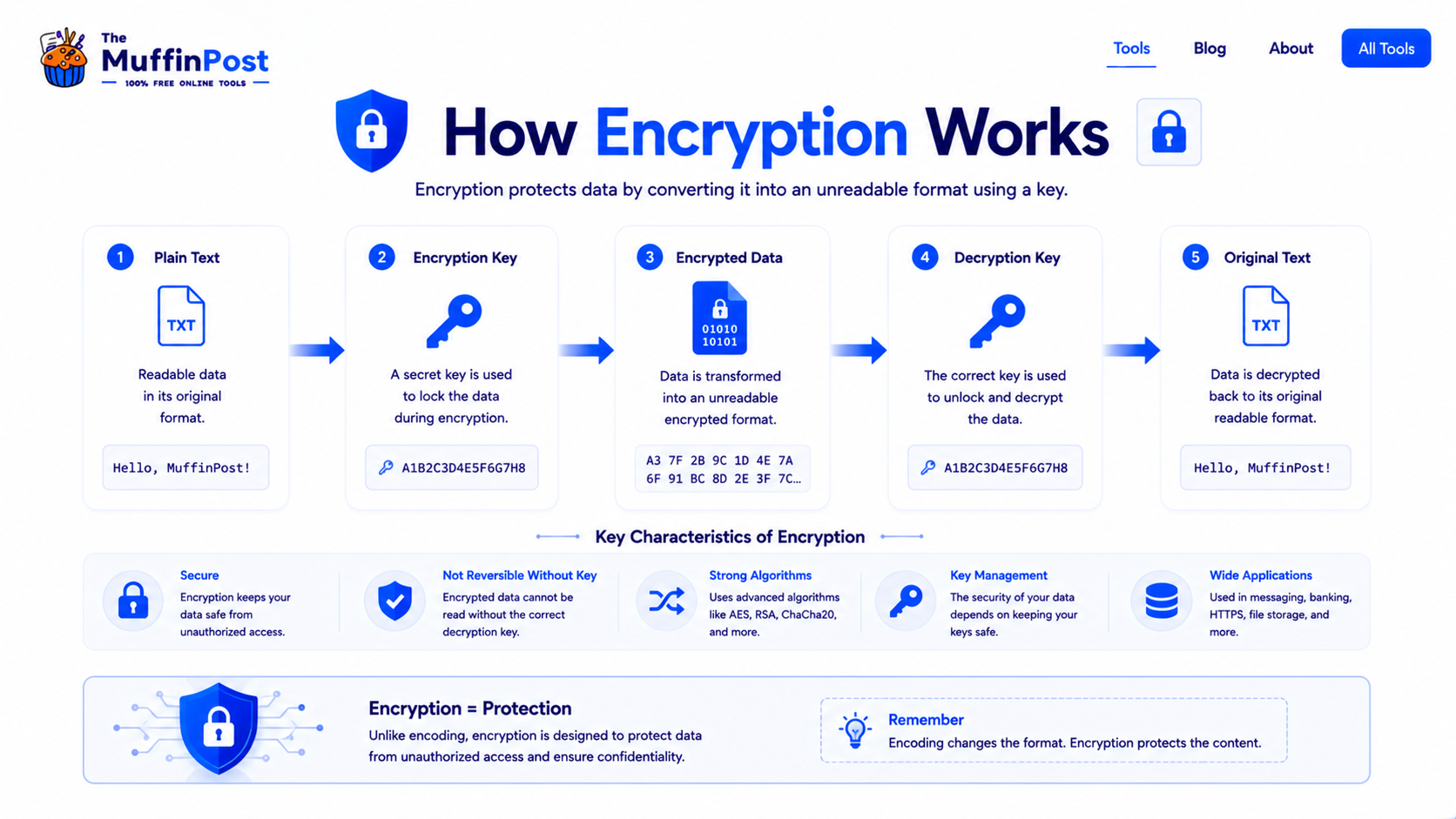
Encryption is the process of converting readable data into unreadable data using a key. The purpose is security. Without the correct key, the encrypted data should be extremely difficult to understand.
Encryption is used when information needs protection, such as private messages, user data, payment details, sensitive files and secure website connections.
Common encryption examples
- HTTPS/TLS: protects data between your browser and websites.
- AES: commonly used for secure data encryption.
- RSA: used in many public-key cryptography workflows.
- Encrypted storage: protects files, devices and backups.
Complete encoding and security workflow
Encoding and encryption often appear in the same system, but they solve different problems. Use the workflow below to choose the correct step.
Encode for Transport
- Choose the format
- Encode the data
- Transfer safely
- Decode at destination
Encrypt for Privacy
- Identify sensitive data
- Choose encryption
- Protect the key
- Decrypt when authorized
Hash for Verification
- Prepare the input
- Create a hash
- Compare fingerprints
- Verify integrity
Combine When Needed
- Encrypt sensitive data
- Encode for transport
- Send securely
- Decode and decrypt
Encode vs encrypt: main differences
The main difference is purpose. Encoding is about making data usable in another format. Encryption is about protecting data from people who should not read it.
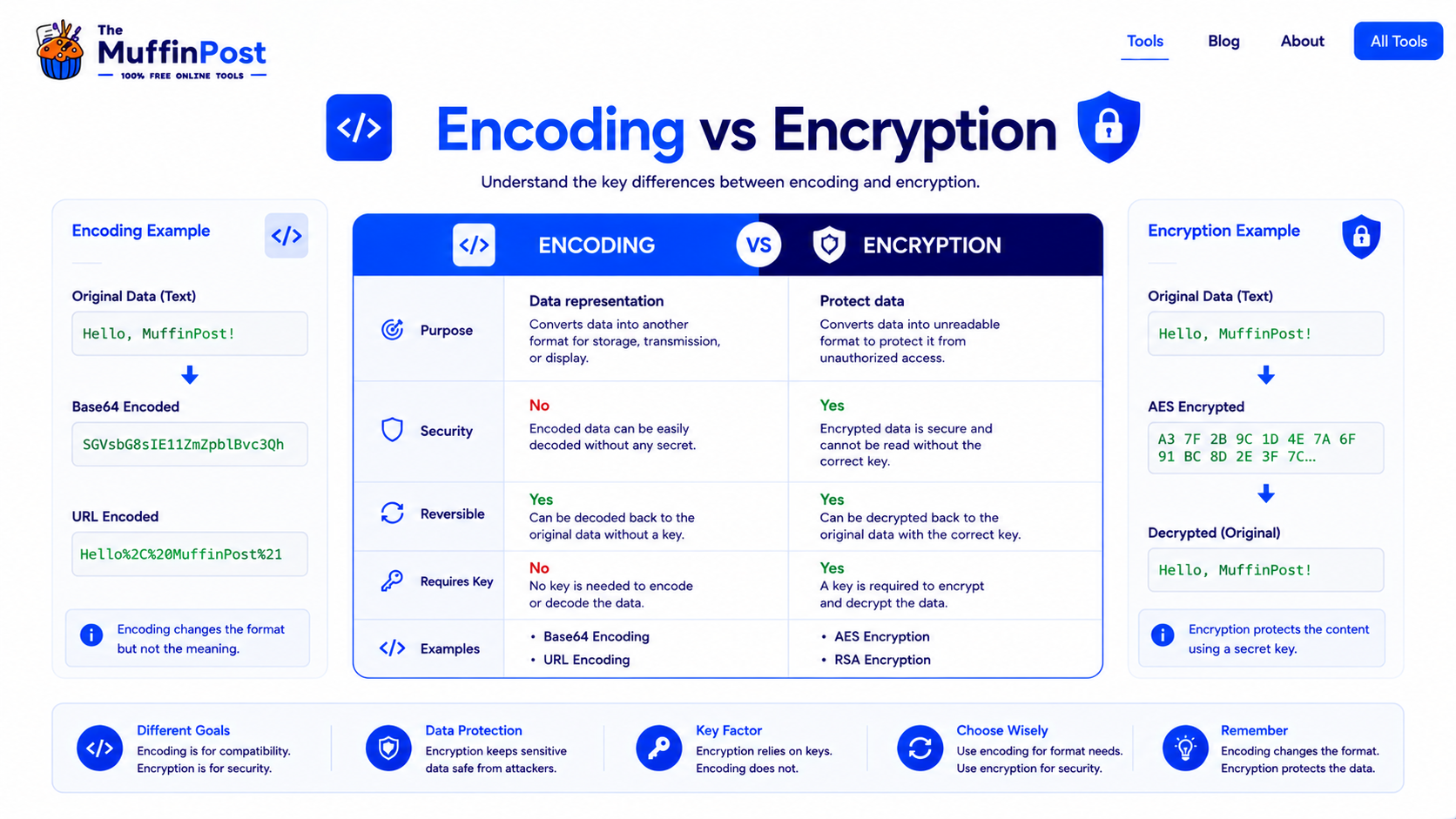
| Feature | Encoding | Encryption |
|---|---|---|
| Main purpose | Change data format | Protect data |
| Security | No security by itself | Designed for security |
| Requires secret key? | No | Yes |
| Reversible? | Yes, by anyone who knows the method | Yes, only with the correct key |
| Examples | Base64, URL encoding, HTML encoding | AES, RSA, TLS/HTTPS |
Common encoding and encryption mistakes
The biggest mistake is thinking encoded data is secure. If a password, token or private message is only Base64 encoded, it can still be decoded easily.
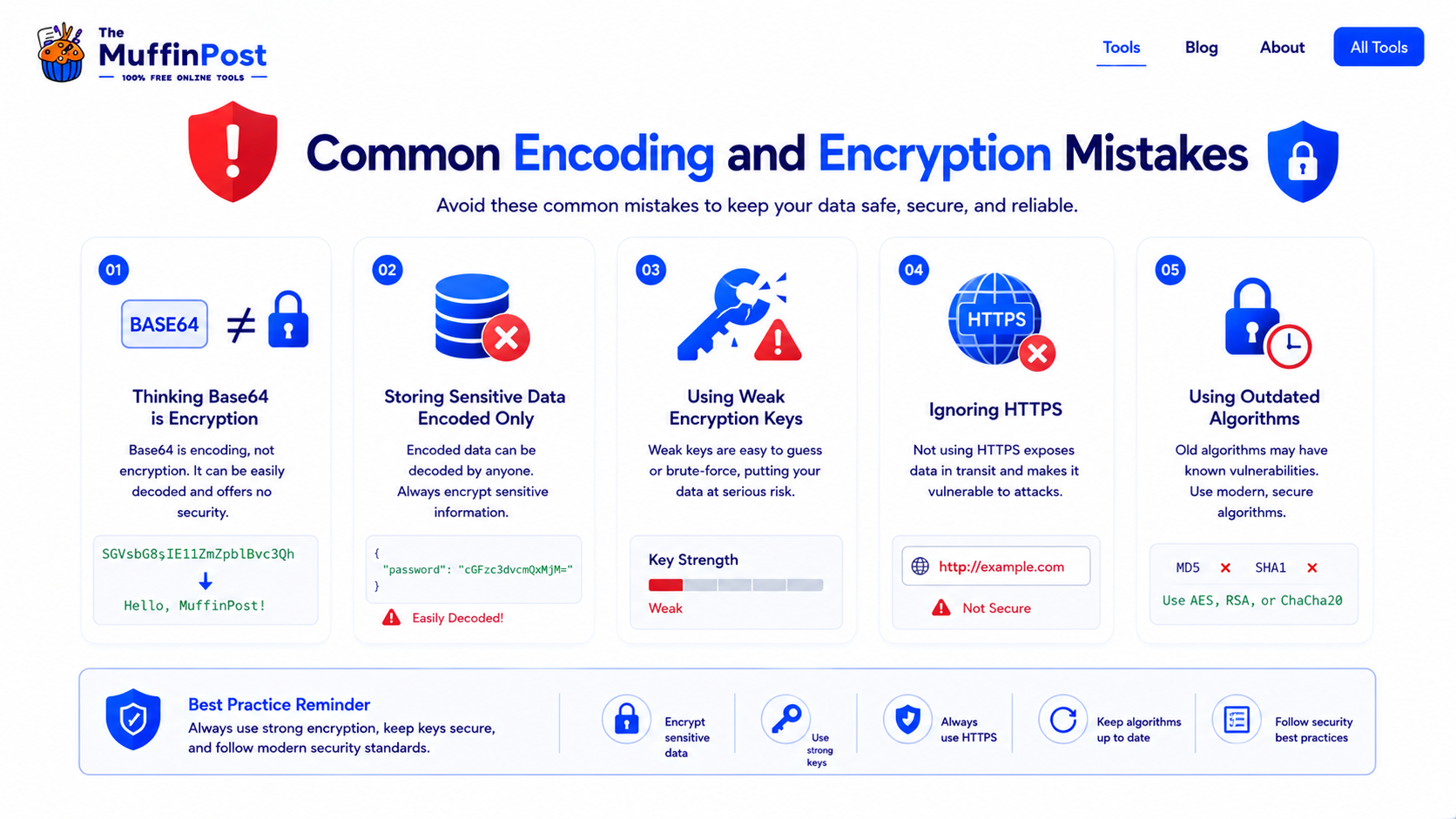
Base64 changes data into text-safe characters, but anyone can decode it without a secret key.
Private information should not be protected only by encoding. Use proper encryption and secure storage practices.
Even if data is encoded, it should still be transmitted through secure channels when privacy matters.
When should you use encoding or encryption?
Use encoding when data needs to be represented safely in another format. Use encryption when data needs to be protected from unauthorized access.
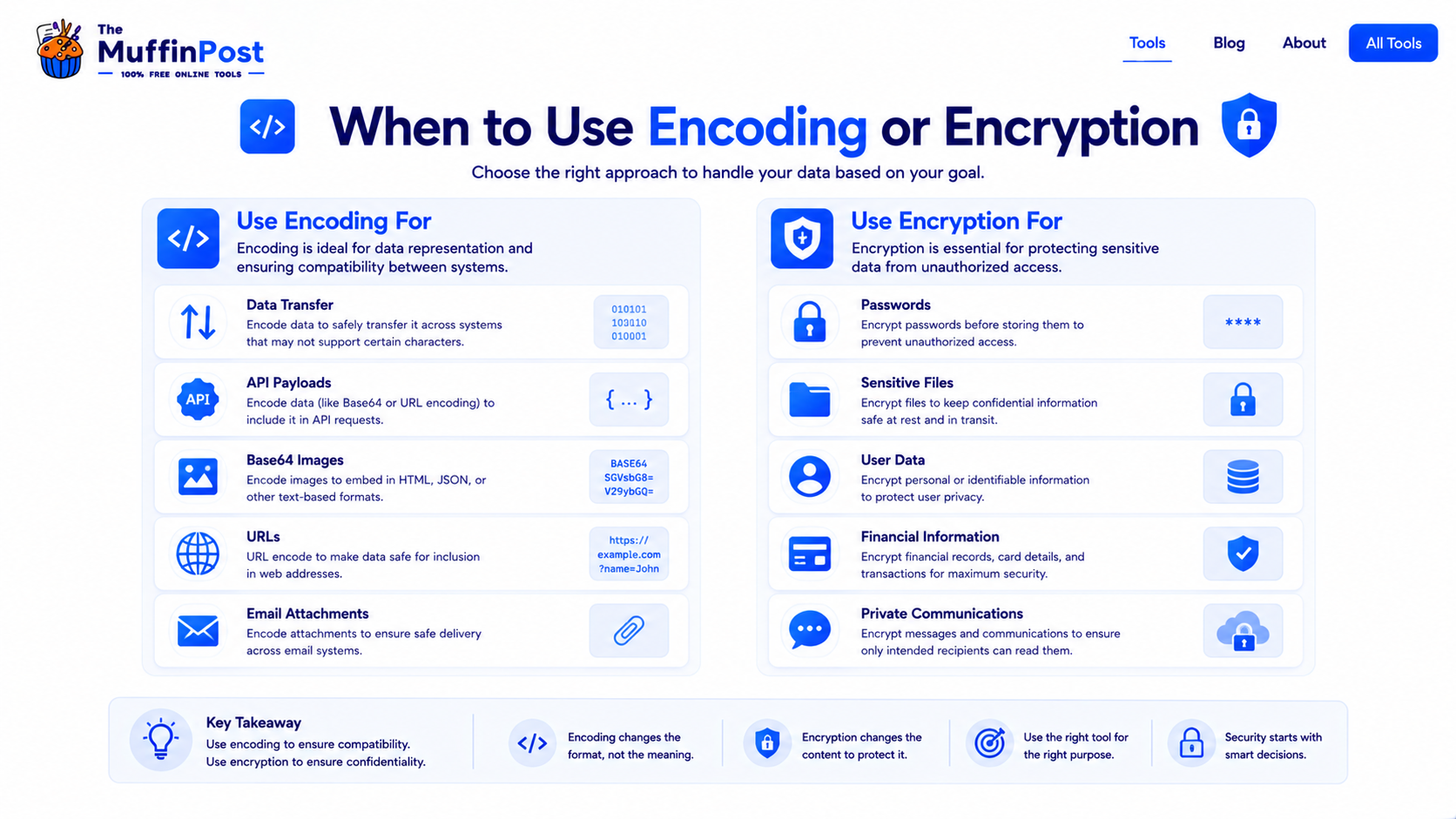
Use encoding for APIs
Encoding can help represent text, binary data or special characters in API payloads and URLs.
Use encryption for privacy
Encryption protects private data such as files, messages, account data and financial information.
Use both when needed
Some systems may encrypt data for security and encode it for transport or storage compatibility.
Start here: choose the right data method
Encode data for compatibility, encrypt it for privacy and use hashing when you need one-way verification.
Open Base64 EncoderOpen Hash GeneratorDeveloper Security Learning Center
Continue with the complete encoding, data and security guide collection.
Frequently asked questions
What is the difference between encoding and encryption?
Encoding changes data into another format for compatibility or transfer. Encryption protects data by making it unreadable without a key.
Is Base64 encryption?
No. Base64 is encoding, not encryption. It can be decoded easily and should not be used to protect sensitive data.
When should I use encoding?
Use encoding when data needs to be represented safely in another format, such as URLs, HTML, Base64 strings or API payloads.
When should I use encryption?
Use encryption when sensitive data needs protection, such as private files, user data, passwords, financial information or private communications.
Can data be encoded and encrypted?
Yes. Some workflows encrypt data for security and then encode it so it can be transported or stored safely in a text-based system.
Does encoding require a key?
No. Encoding does not require a secret key. It only requires knowing the encoding method.
Does encryption require a key?
Yes. Encryption uses keys to protect and later decrypt data.
Which tools are related to encoding?
Helpful tools include Base64 Encoder Decoder, URL Encoder, HTML Encoder, JSON Formatter & Validator and Hash Generator.

About the author
The MuffinPost Editorial Team creates practical guides for online tools, productivity, file conversion, calculators, marketing workflows and developer utilities.
Use the right method for your data
Encode for compatibility, encrypt for privacy and hash for one-way verification.
Open Encoding ToolsBrowse Developer Tools