
JSON vs XML: What's the Difference?
Compare JSON vs XML, understand the differences, advantages, performance, readability and discover which format is best for APIs and modern web development.
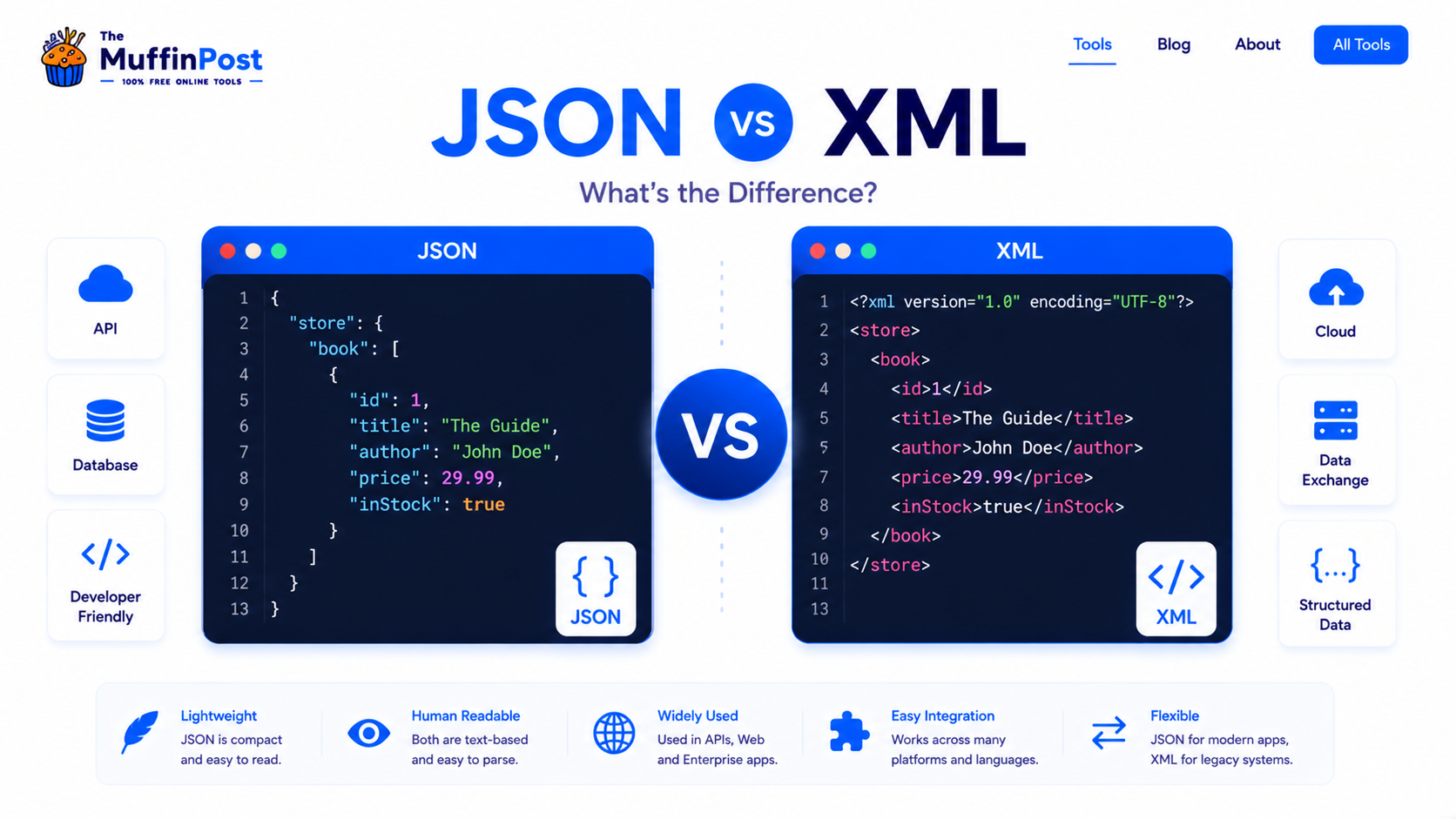
Quick summary
JSON and XML are both formats used to structure and exchange data. JSON is usually lighter, easier to read and more common in modern APIs. XML is more verbose, tag-based and still useful for documents, legacy systems, RSS feeds, SOAP services and structured metadata.
Key takeaways
- JSON is lightweight, readable and popular for REST APIs and web apps.
- XML is more verbose but useful for documents, metadata and legacy systems.
- The best choice depends on your project, compatibility needs and data structure.
What is JSON?
JSON stands for JavaScript Object Notation. It is a lightweight text format for storing and exchanging structured data. JSON uses key-value pairs, arrays and objects, which makes it easy to read and simple for applications to parse.
Although JSON comes from JavaScript syntax, it is language-independent. Developers use JSON with many languages and platforms, including JavaScript, Python, PHP, Java, Go and Ruby.
{"name":"Alex","role":"Developer","skills":["JSON","API","JavaScript"]}What is XML?
XML stands for Extensible Markup Language. It is a markup format that uses tags to define and structure information. XML is often more verbose than JSON because every element usually needs an opening and closing tag.
XML is still used in many systems, especially where structured documents, metadata, RSS feeds, SOAP services or legacy integrations are important.
<user> <name>Alex</name> <role>Developer</role> </user>JSON vs XML structure comparison
The biggest visual difference is structure. JSON uses objects and key-value pairs. XML uses nested tags. Both can represent the same information, but JSON is usually shorter and easier to scan in modern web development.
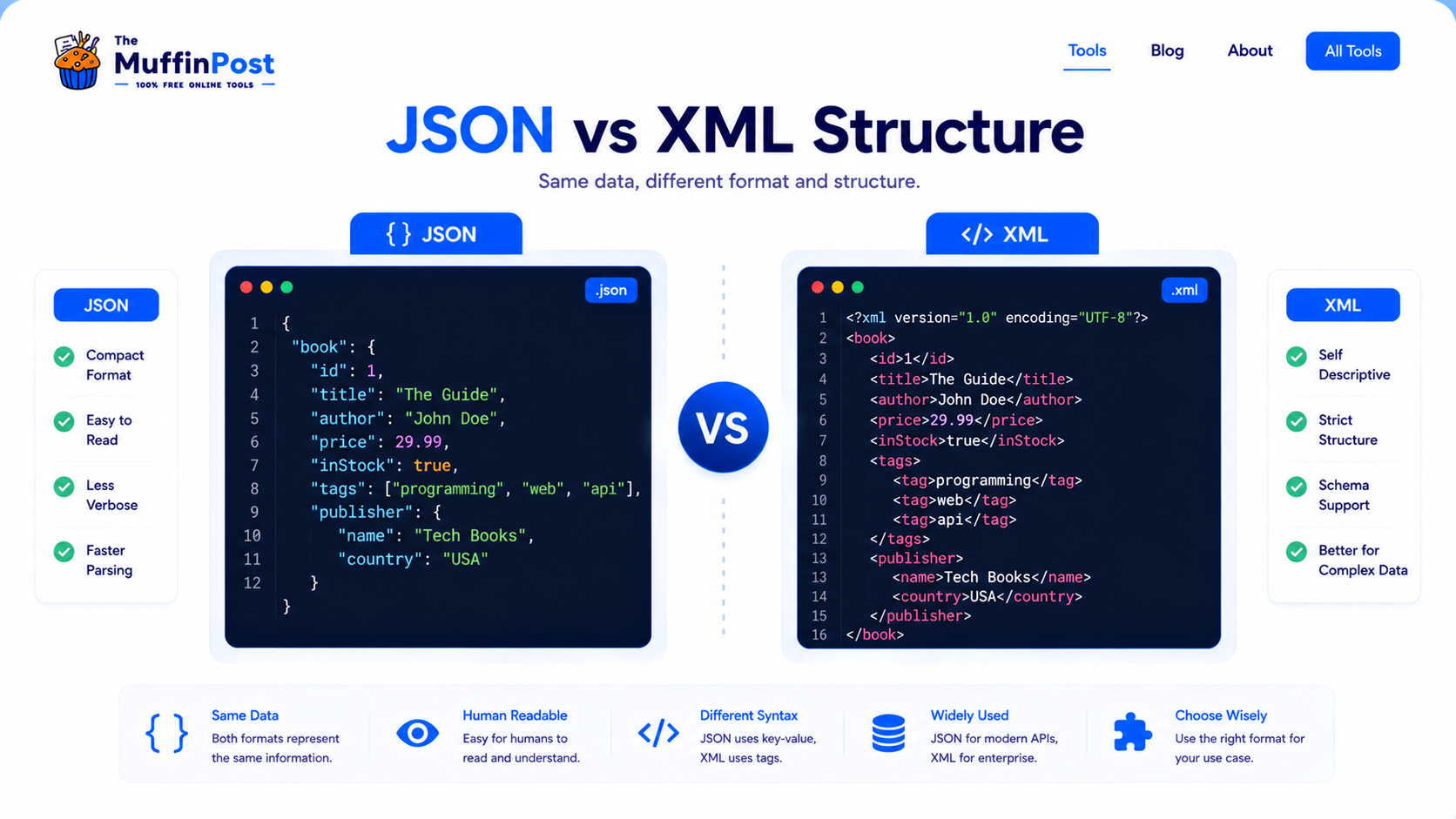
| Feature | JSON | XML |
|---|---|---|
| Syntax | Objects, keys and values | Opening and closing tags |
| Readability | Short and easy to scan | More verbose |
| File size | Usually smaller | Usually larger |
| Common use | APIs, apps and web services | Documents, feeds and legacy systems |
Complete JSON and XML workflows
Choosing a format is only one step. Developers often format, validate and convert data before using it in another system.
JSON vs XML performance
Performance depends on the system, parser and data size, but JSON is usually faster and lighter for web APIs because it has less markup and maps naturally to objects in many programming languages.
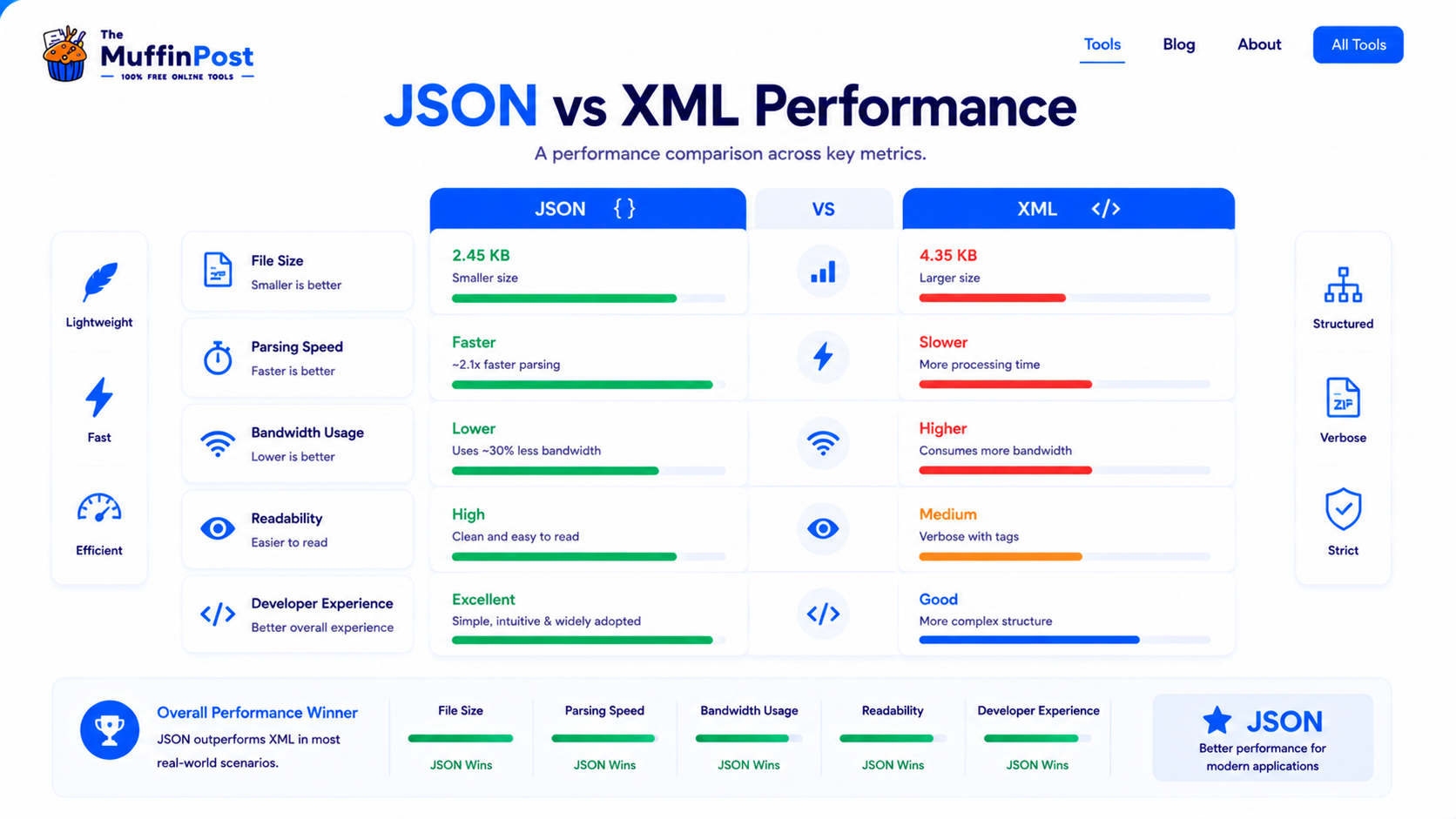
File size
JSON usually creates smaller payloads because it avoids repeated closing tags.
Parsing speed
JSON is often easier for modern web applications to parse and use.
Bandwidth
Smaller JSON payloads can reduce bandwidth usage in APIs and mobile apps.
When should you use JSON or XML?
Use JSON when building modern APIs, JavaScript apps, mobile apps or systems that need lightweight data exchange. Use XML when you need structured documents, rich metadata, compatibility with legacy systems or XML-based standards.
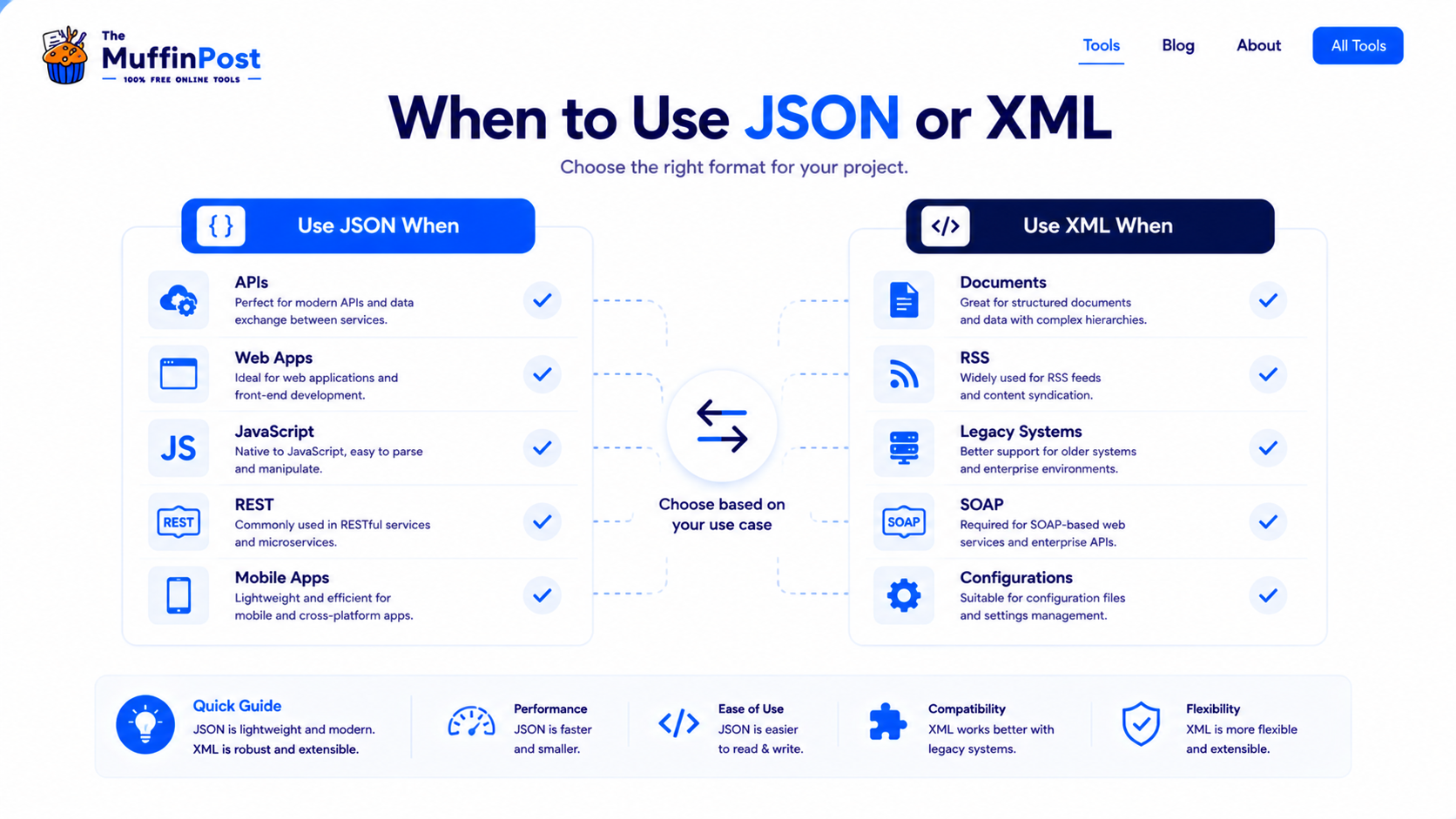
| Use case | Better choice | Why |
|---|---|---|
| REST APIs | JSON | Lightweight and widely supported. |
| JavaScript apps | JSON | Maps naturally to JavaScript objects. |
| RSS feeds | XML | RSS is traditionally XML-based. |
| SOAP services | XML | SOAP commonly relies on XML messaging. |
Choose JSON or XML by project type
The right format depends on the system, standards and data model.
Choose JSON
Best for REST APIs, JavaScript applications, mobile apps and lightweight data exchange.
Choose XML
Best for SOAP, RSS, document markup, schemas and legacy enterprise integrations.
Support both
Useful when an API serves modern clients but must also integrate with older systems.
Common JSON vs XML mistakes
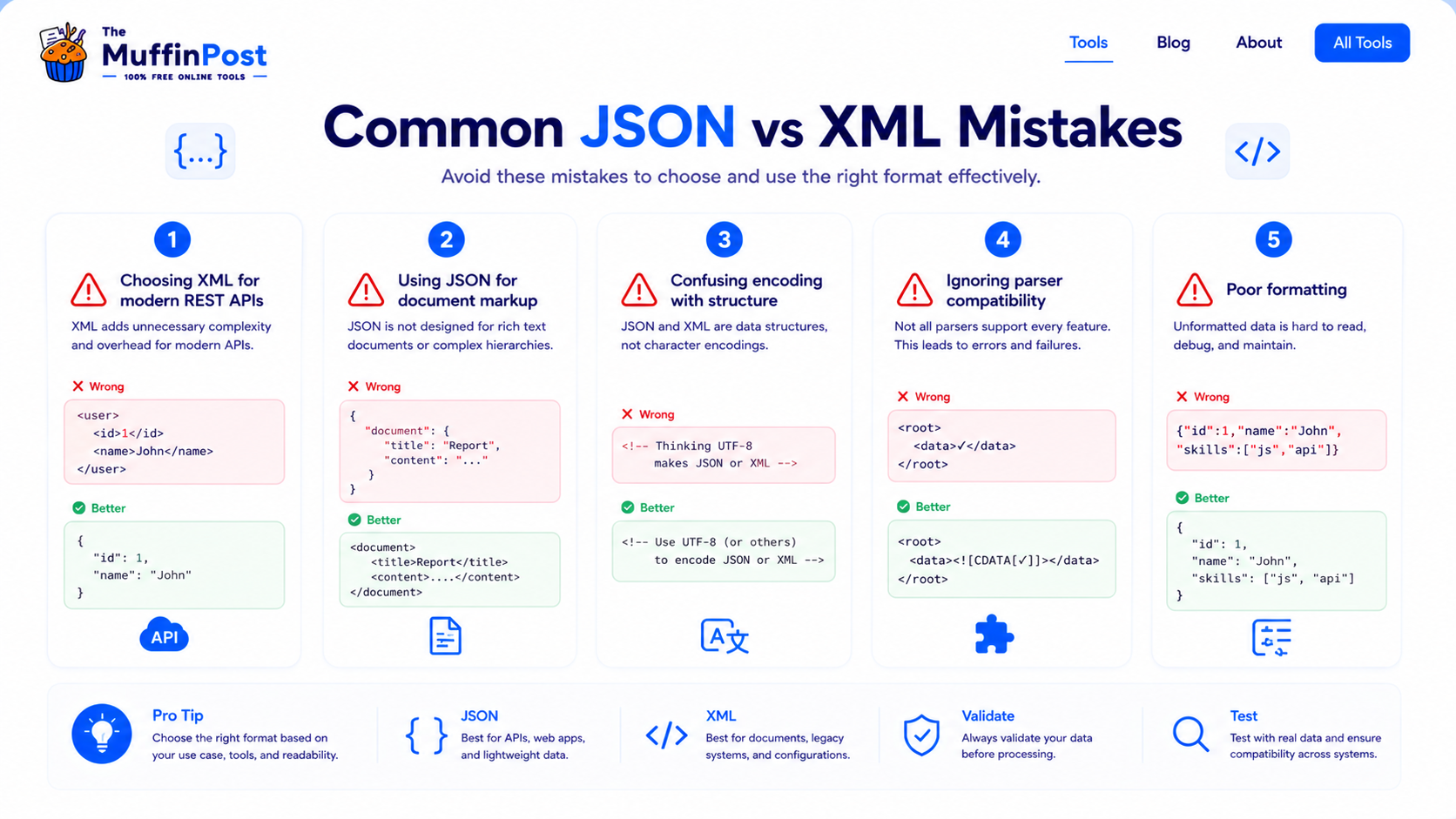
Modern APIs often use JSON because it is lighter and easier for clients to consume.
JSON is great for data, but XML can be better when document structure and metadata are the priority.
JSON vs XML: which one should you choose?
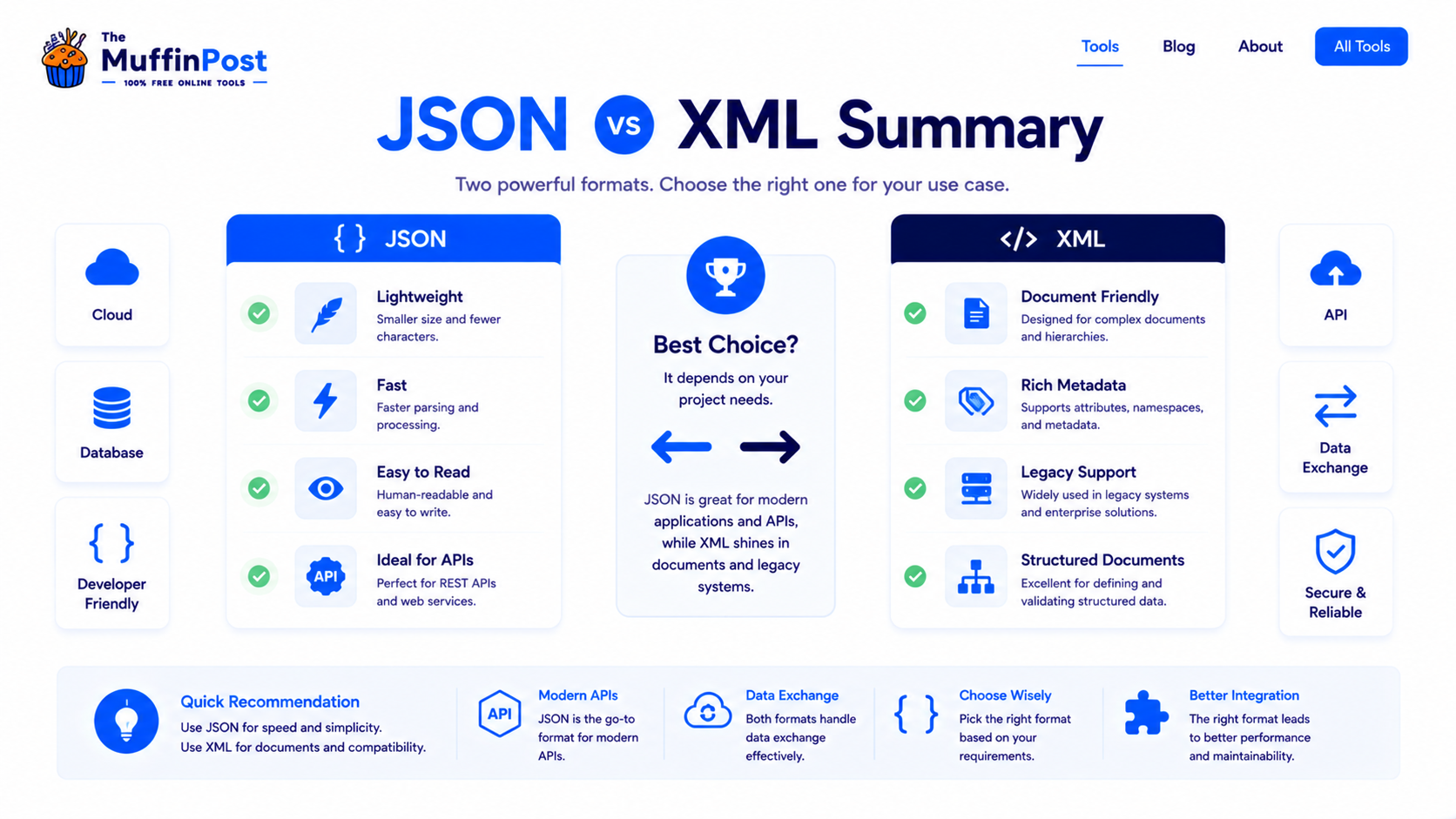
Start here: format or convert your data
Format JSON, validate syntax and convert between JSON and XML directly in your browser.
Open JSON FormatterJSON to XMLDeveloper Learning Center
Continue with the complete JSON, XML and encoding guide collection.
Frequently asked questions
What is the main difference between JSON and XML?
JSON uses key-value pairs and arrays, while XML uses nested tags. JSON is usually lighter and XML is more document-oriented.
Is JSON better than XML?
JSON is often better for modern APIs and web apps. XML can be better for structured documents, metadata, RSS, SOAP and legacy systems.
Is JSON faster than XML?
JSON is often faster to parse and smaller to transfer, but actual performance depends on the system, data size and parser.
Why do APIs use JSON?
APIs use JSON because it is lightweight, readable and easy for many programming languages to parse.
When should I use XML?
Use XML for document markup, RSS feeds, SOAP services, legacy integrations and systems that require rich metadata.
Can JSON and XML store the same data?
Yes. Both formats can represent structured data, but they use different syntax and design approaches.
Is XML still used today?
Yes. XML is still used in RSS, SOAP, enterprise systems, configuration files and document-based workflows.
How do I format or validate JSON?
You can use a JSON Formatter to beautify JSON and a JSON Validator to check syntax errors.

About the author
The MuffinPost Editorial Team creates practical guides for online tools, productivity, file conversion, calculators, marketing workflows and developer utilities.
Continue your data workflow
Format JSON, convert XML, validate data and use free browser-based developer tools.
Format JSONJSON to XMLBrowse Developer Tools