
How to Validate JSON Online
Learn how to validate JSON online, check JSON syntax, find common errors and prepare clean JSON data for APIs, apps and developer workflows.
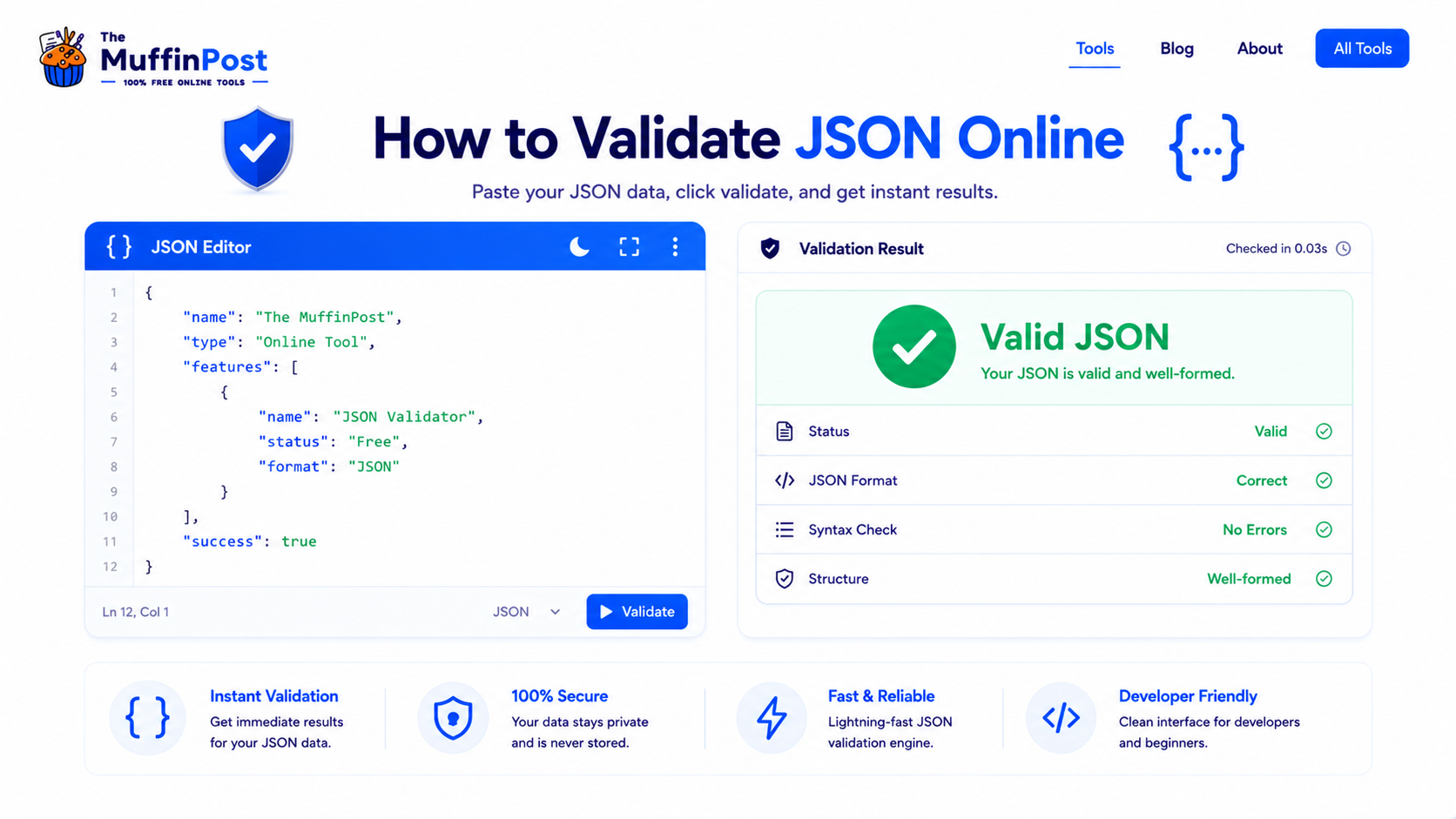
Quick summary
JSON validation checks whether your JSON data follows the correct syntax rules. A JSON validator can detect missing commas, invalid quotes, trailing commas, missing brackets and incorrect nesting before the data is used in an API, app, website or configuration file.
Key takeaways
- Validate JSON before saving, deploying or sending it to an API.
- Most JSON errors come from commas, quotes, brackets or nesting issues.
- Formatted JSON is easier to debug, read and reuse.
What does it mean to validate JSON?
Validating JSON means checking whether a JSON object follows the official JSON syntax rules. JSON is strict: a single missing comma, extra comma or wrong quotation mark can make the entire file invalid.
This matters because applications, APIs and servers usually expect JSON to be correctly structured. If the JSON is invalid, the system may fail to parse the data, return an error or behave unexpectedly.
JSON validation vs JSON formatting
Validation checks whether JSON is correct. Formatting makes JSON easier to read by adding indentation and line breaks. A good JSON Formatter & Validator can do both: it checks your syntax and organizes the output.
How to validate JSON online step by step
The easiest way to validate JSON is to paste your code into an online JSON validator, run the check and fix any highlighted errors. This helps you avoid syntax problems before using the data in a project.
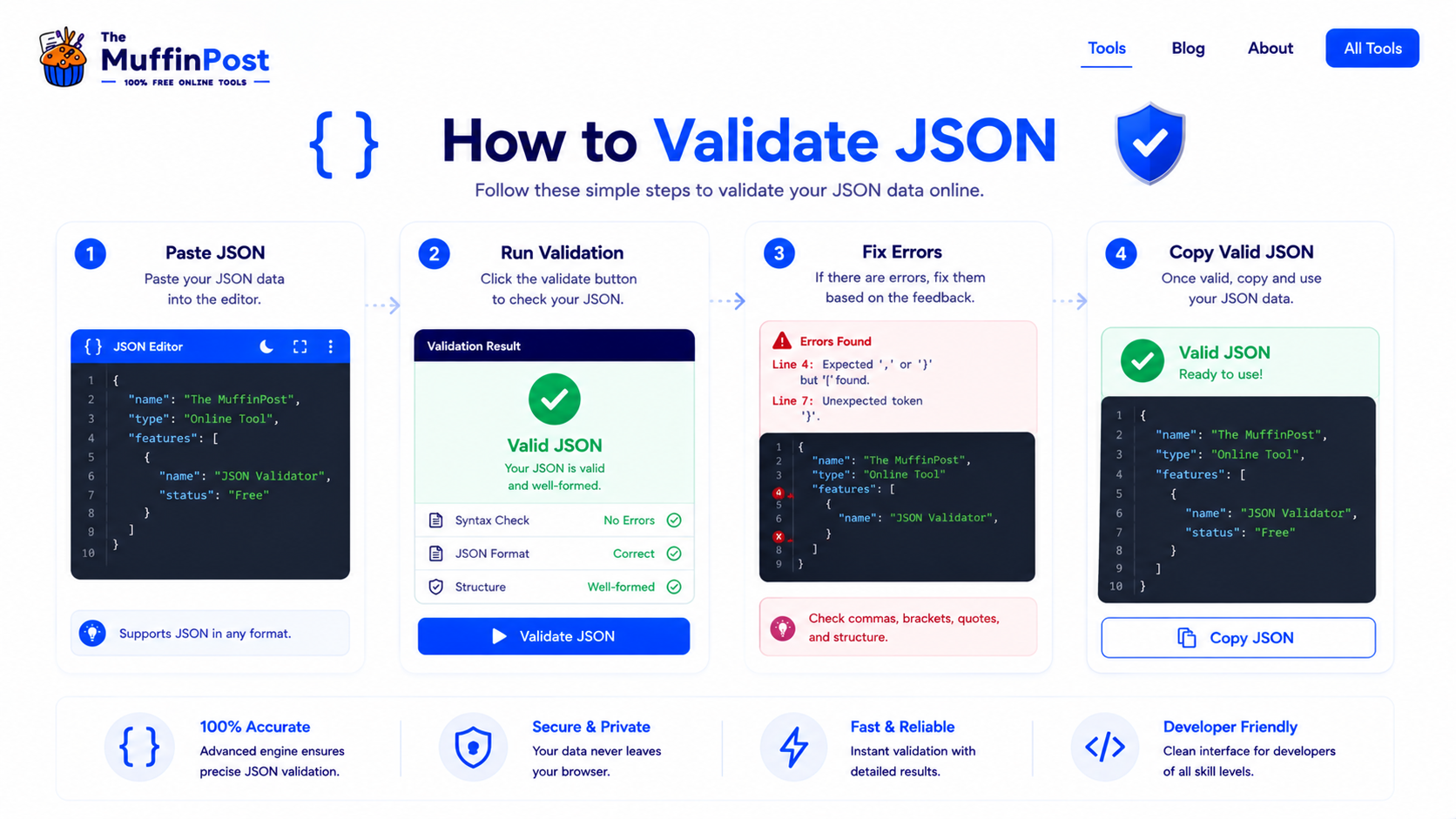
Step 1: Paste your JSON
Copy your JSON from an API response, file, database export or code editor and paste it into the validator.
Step 2: Run validation
Click the validate button. The tool will check whether the JSON structure is valid and highlight syntax errors when something is wrong.
Step 3: Fix errors
Review the error message and correct missing commas, invalid quotes, unclosed braces, incorrect nesting or trailing commas.
Step 4: Copy valid JSON
After the JSON passes validation, copy the clean version and use it in your API, app, configuration file or documentation.
Complete JSON validation workflow
A reliable JSON workflow includes formatting, validation, correction and final testing before the data is used in an API or application.
Format JSON
- Paste JSON
- Beautify structure
- Review indentation
- Find suspicious areas
Validate Syntax
- Run validation
- Read error details
- Locate the line
- Correct syntax
Convert Data
- Validate JSON
- Convert to XML
- Inspect output
- Use in system
Test the Result
- Check data types
- Test API payload
- Confirm required fields
- Deploy safely
Valid JSON vs invalid JSON
Valid JSON follows the correct structure and can be parsed by software. Invalid JSON contains one or more syntax mistakes that prevent the data from being read correctly.
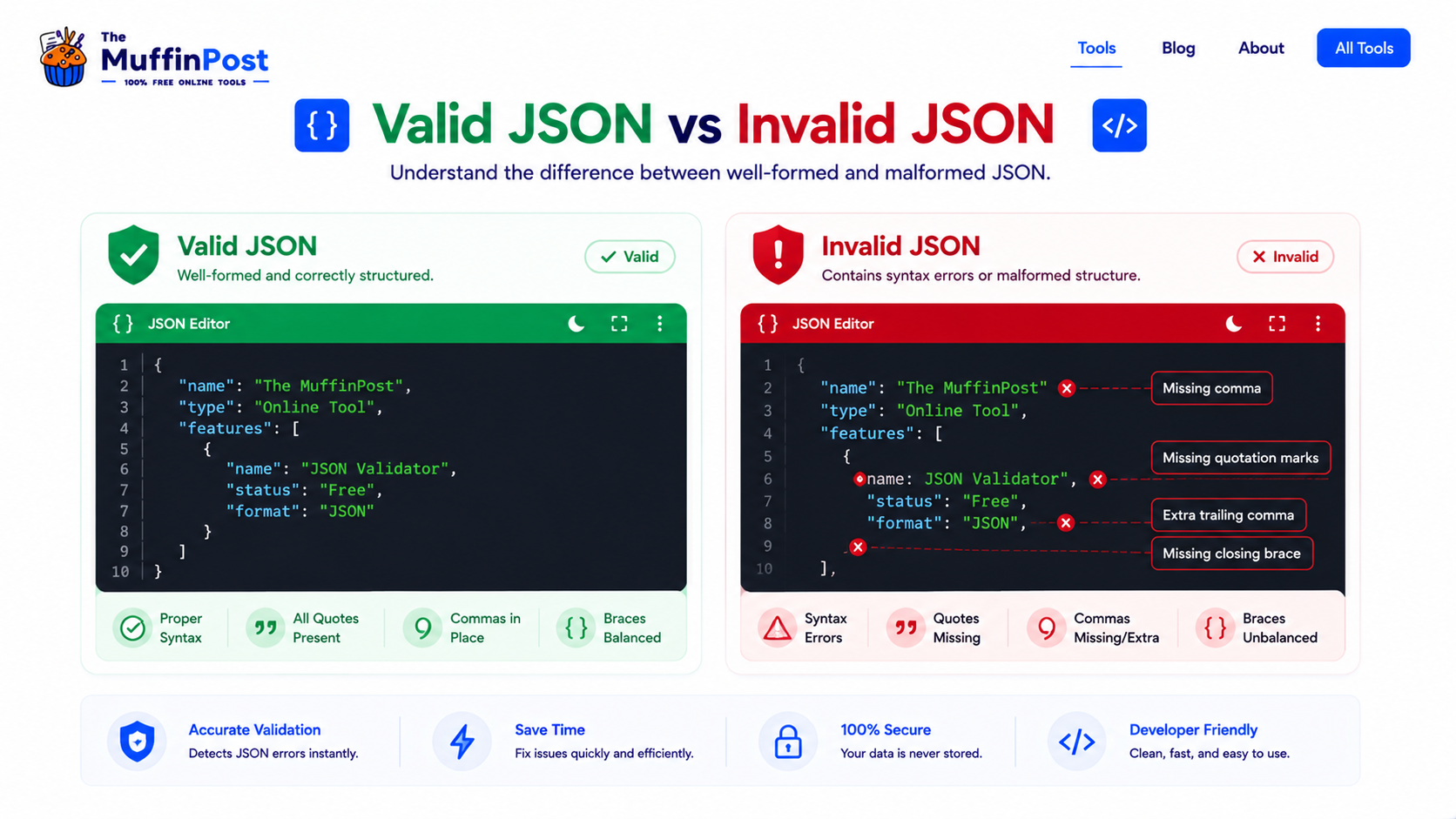
| Issue | Invalid JSON example | Correct JSON example |
|---|---|---|
| Single quotes | {'name':'Alex'} | {"name":"Alex"} |
| Trailing comma | {"name":"Alex",} | {"name":"Alex"} |
| Missing comma | {"name":"Alex" "age":30} | {"name":"Alex","age":30} |
| Unclosed object | {"active":true | {"active":true} |
Common JSON validation errors
Most JSON errors are small syntax problems. The good news is that they are usually easy to fix once a validator points to the issue.
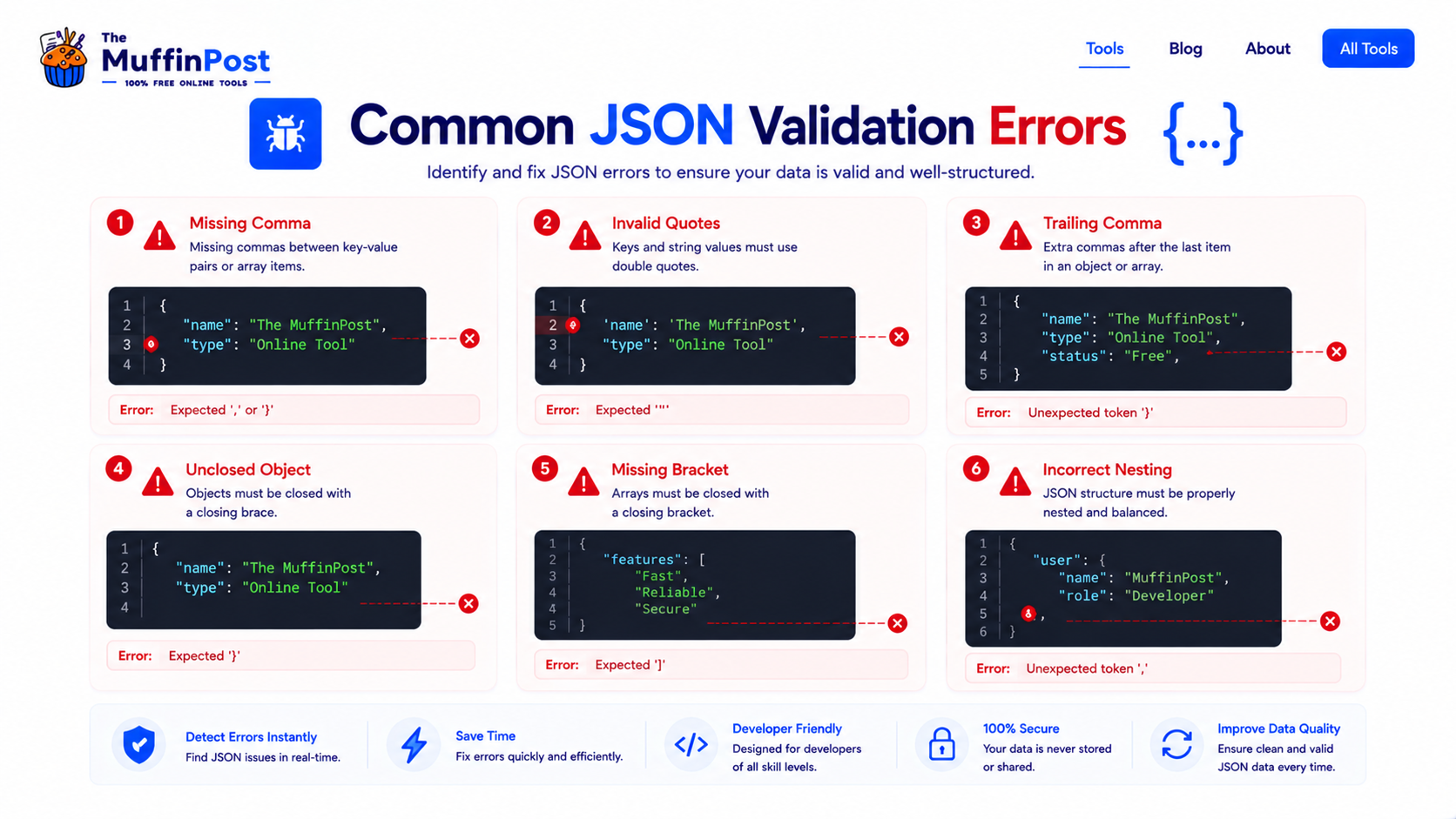
Every key-value pair inside an object must be separated by a comma, except the last one.
JSON strings and keys must use double quotes. Single quotes are not valid JSON syntax.
A comma after the final item in an object or array can make the JSON invalid.
Why JSON validation matters
JSON is commonly used in APIs, web applications, configuration files, databases and developer tools. Invalid JSON can break a request, cause parsing failures or create confusing bugs that are difficult to trace.
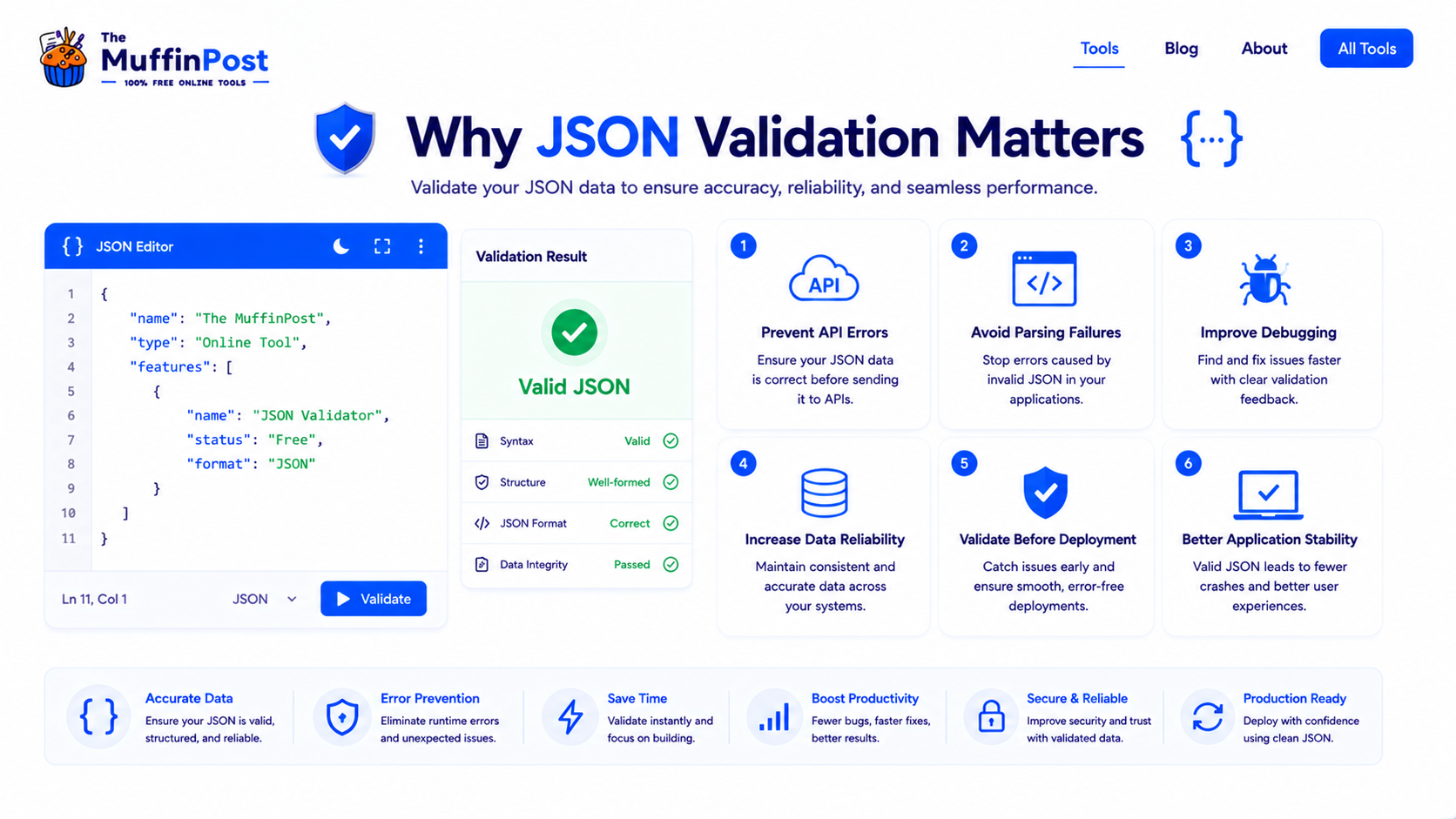
Prevent API errors
APIs often reject invalid JSON or return parsing errors when payloads are malformed.
Improve debugging
Validation helps you find syntax issues before they become bigger application bugs.
Increase reliability
Clean JSON makes data easier to store, exchange, document and reuse.
JSON validation best practices
Good JSON workflows are simple: format your data, validate it, fix errors, test the result and keep the structure consistent.
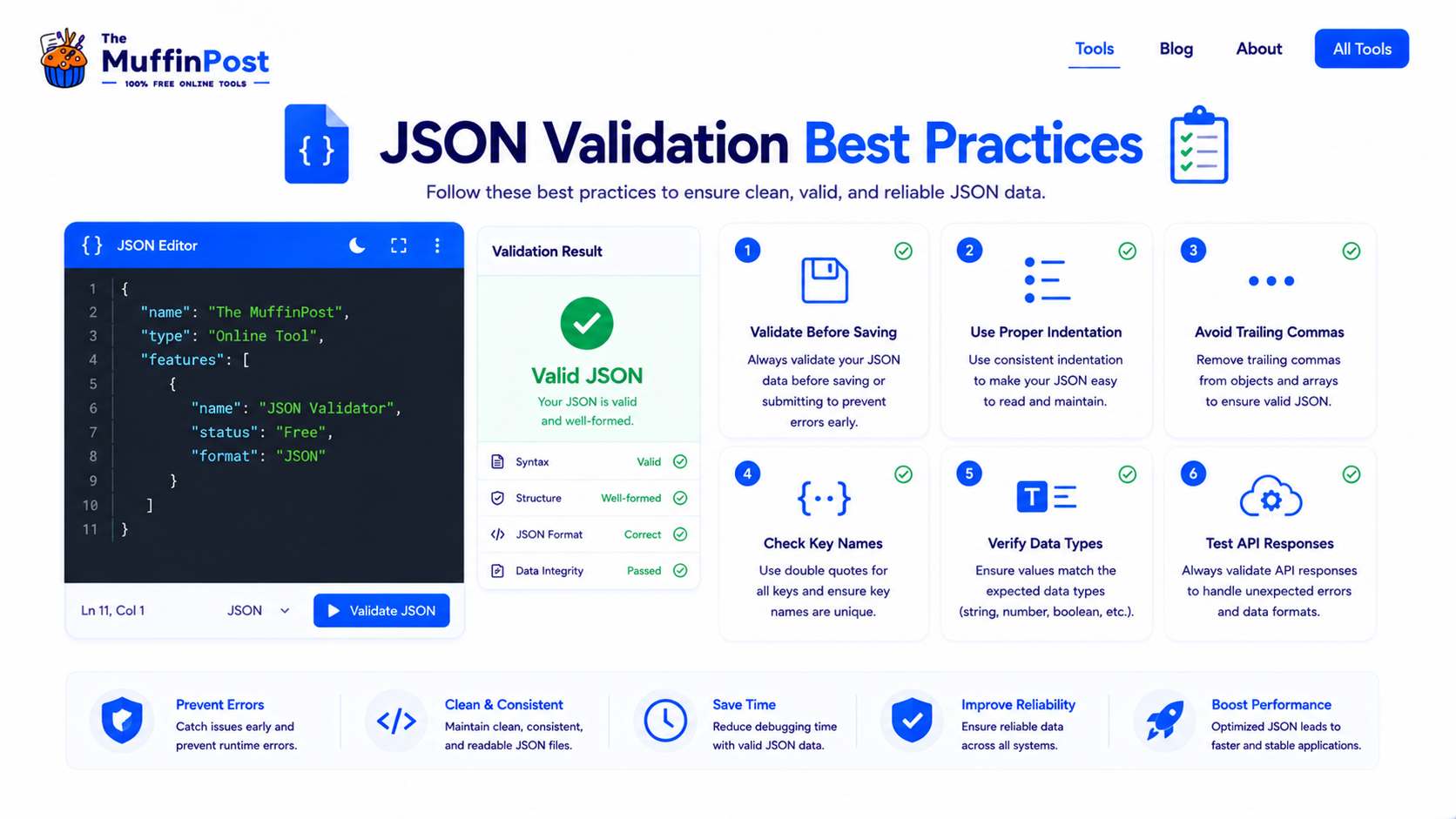
Format before debugging
Beautified JSON is easier to scan, understand and fix.
Check data types
Make sure strings, numbers, booleans, arrays and objects are used correctly.
Test API responses
Validate JSON returned by APIs before using it in your application logic.
Start here: format and validate JSON
Beautify JSON, identify syntax errors and prepare clean API-ready data directly in your browser.
Open JSON Formatter & ValidatorLearn JSON FundamentalsDeveloper Learning Center
Continue with the complete JSON, data-format and encoding guide collection.
Frequently asked questions
How do I validate JSON online?
Paste your JSON into an online validator, run validation, review any syntax errors, fix the JSON and copy the valid result.
What is a JSON validator?
A JSON validator is a tool that checks whether JSON follows the correct syntax rules and can be parsed by software.
What makes JSON invalid?
Common causes include missing commas, trailing commas, invalid quotes, missing braces, missing brackets and incorrect nesting.
Can I format and validate JSON at the same time?
Yes. A JSON Formatter & Validator can beautify messy JSON and check whether the syntax is valid.
Why does my API reject my JSON?
An API may reject JSON because of invalid syntax, wrong data types, missing required fields or an unexpected structure.
Are single quotes valid in JSON?
No. JSON requires double quotes for keys and string values.
Can JSON have trailing commas?
No. Standard JSON does not allow trailing commas after the last item in an object or array.
Which tools are related to JSON validation?
Helpful related tools include JSON Formatter & Validator, Base64 Encoder Decoder, URL Encoder, HTML Encoder and Hash Generator.

About the author
The MuffinPost Editorial Team creates practical guides for online tools, productivity, file conversion, calculators, marketing workflows and developer utilities.
Validate your JSON before deployment
Format your data, fix syntax errors and prepare clean JSON for APIs, applications and configuration files.
Validate JSON NowBrowse Developer Tools