
What Is Base64 Encoding? Everything You Need to Know
Understand Base64 encoding, common use cases, advantages, limitations and how to encode or decode Base64 using free online tools.
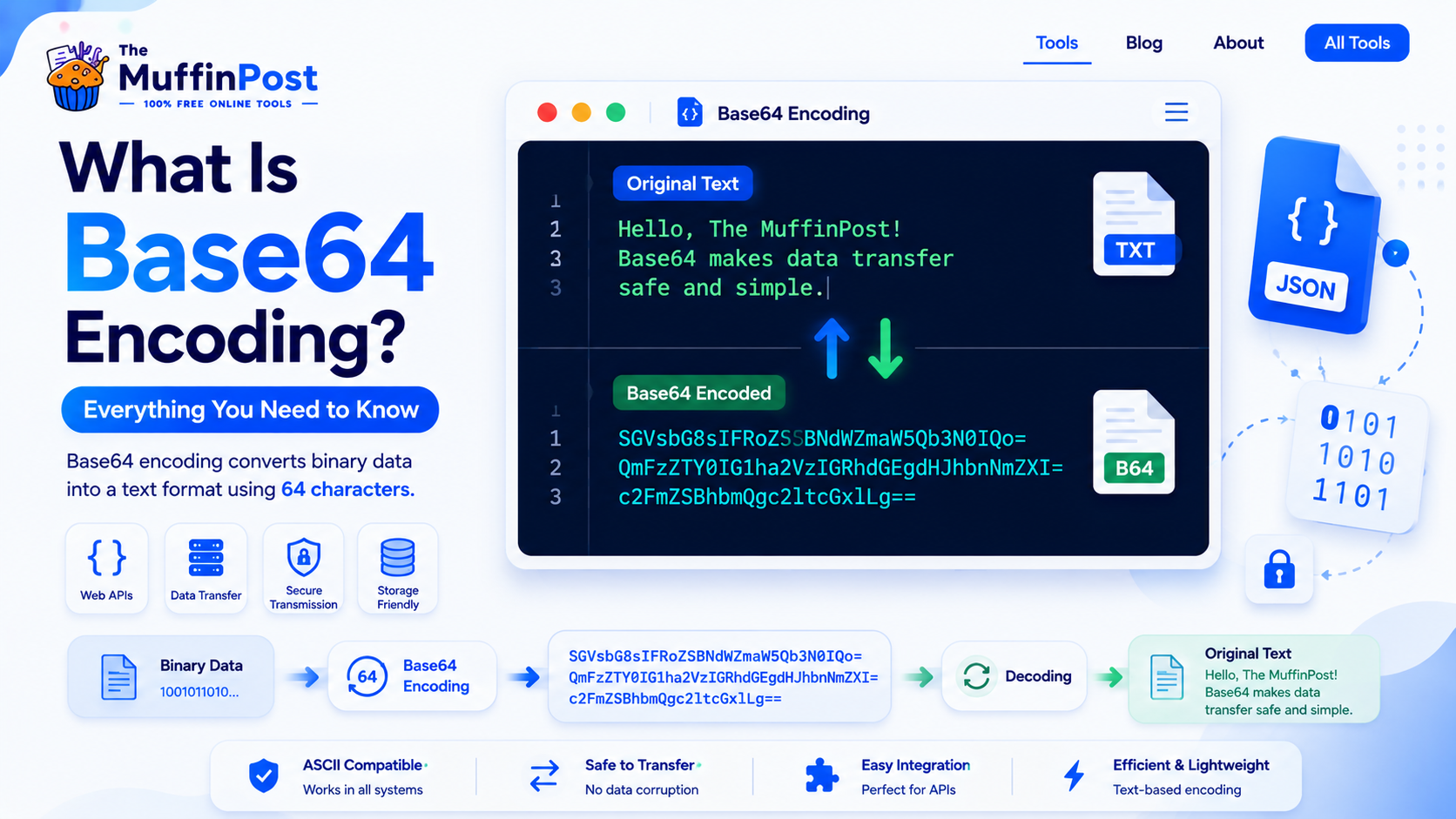
Quick summary
Base64 encoding is a way to convert binary data into plain text using a limited set of characters. Developers use it when data needs to travel safely through systems that expect text, such as email, APIs, JSON, HTML, CSS and data URLs.
Key takeaways
- Base64 converts data into text-safe characters.
- It is encoding, not encryption, so it should not be used as security.
- Base64 is useful for APIs, email attachments, data URLs and embedded files.
What is Base64 encoding?
Base64 encoding is a method for representing data as readable text. It takes binary information, such as an image, file, string or byte sequence, and converts it into characters that are safe to store or transmit in text-based systems.
The encoded result usually looks like a long string of letters, numbers, plus signs, slashes and sometimes equal signs. This makes Base64 useful when raw binary data might break inside a text-only environment.
Why developers use Base64
Developers use Base64 when they need to move data through systems that are designed for text. It is common in web development, APIs, email systems, configuration files and inline image handling.
- Encoding files for text-based transfer.
- Embedding small images inside HTML or CSS.
- Sending binary data in JSON or API payloads.
- Handling email attachments.
- Creating data URLs for small assets.
How Base64 encoding works
Base64 works by converting binary data into a set of 64 text characters. The process groups bits of data and maps them to characters that are generally safe for text transmission.
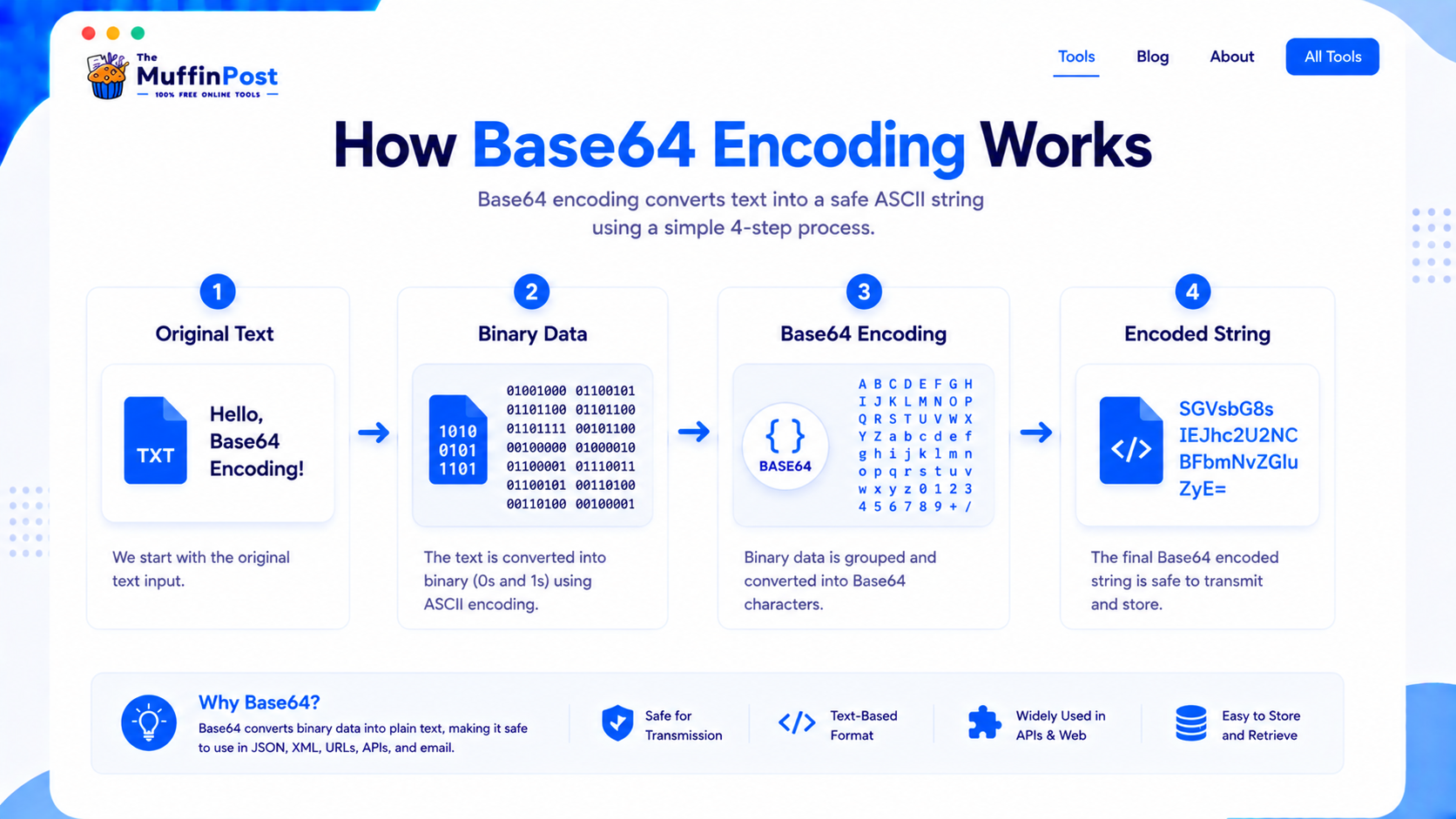
For example, the word Hello becomes SGVsbG8= when Base64 encoded. The decoded result is still the original text.
Original text: Hello
Base64: SGVsbG8=
Decoded text: HelloComplete Base64 workflows
Base64 is usually one step inside a larger development task. Choose the workflow that matches your goal.
Common uses of Base64
Base64 is used in many everyday developer workflows. It is especially useful when data needs to be embedded, transferred or stored as text.
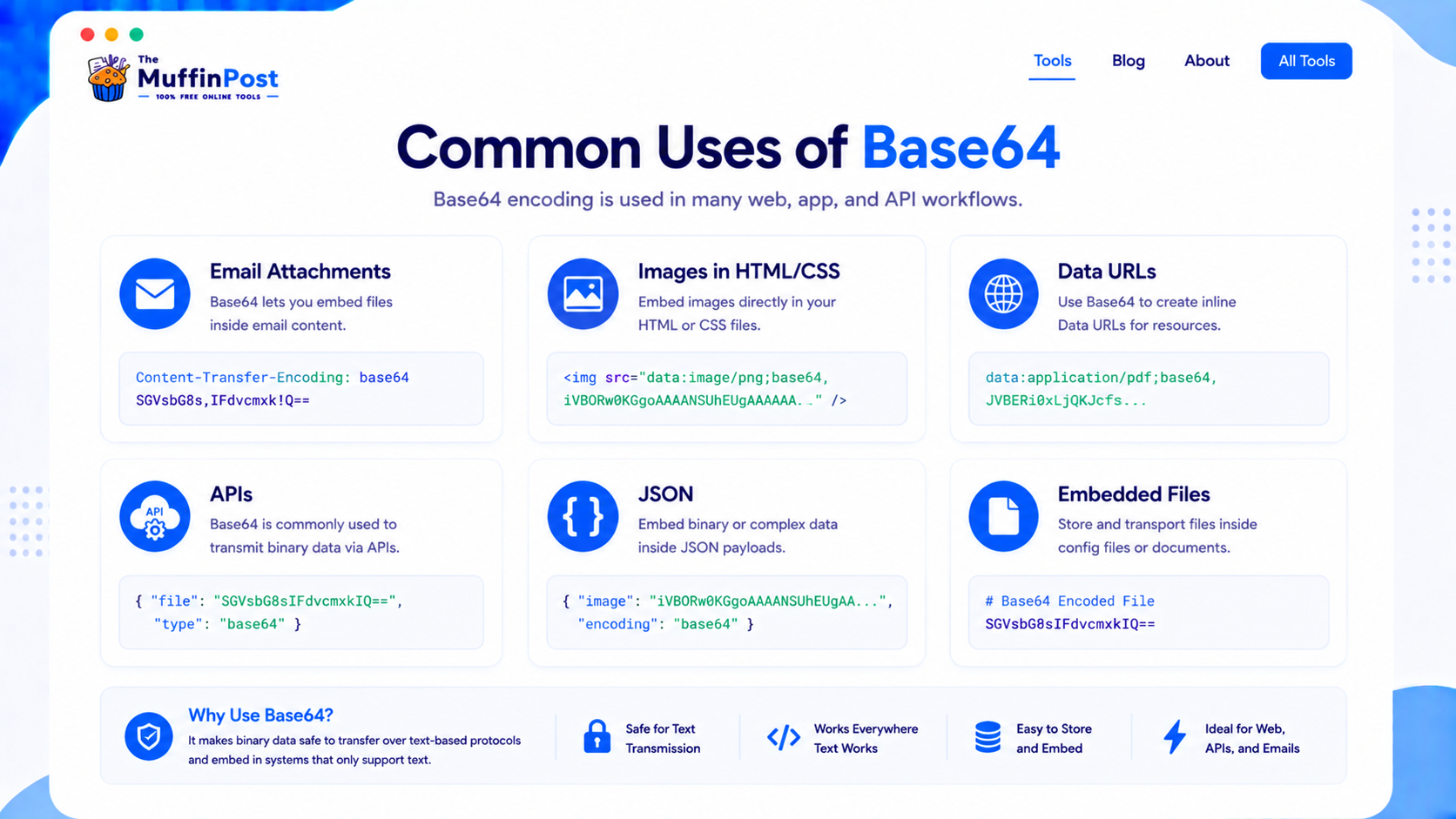
Images in HTML or CSS
Small images can be embedded as Base64 data URLs, although this should be used carefully.
APIs and JSON
Base64 can represent binary data inside JSON payloads that require text-safe values.
Email attachments
Email systems often use Base64 to safely transmit files and attachments.
Base64 advantages and limitations
Base64 is useful, but it is not always the best option. It makes data easier to move through text-based systems, but it also increases file size and adds processing overhead.

| Advantages | Limitations |
|---|---|
| Safe for text-based systems | Increases data size |
| Useful for APIs and email | Not encryption or security |
| Cross-platform and widely supported | Can slow pages if overused |
| Can embed small assets inline | Not ideal for large files |
Base64 encoding vs encryption vs hashing
These concepts are often confused, but they solve different problems.
Base64 encoding
Changes data into a text-safe representation. It is reversible and provides no security.
Encryption
Protects data using a key. It is designed to keep information private.
Hashing
Creates a one-way fingerprint commonly used for verification and integrity checks.
Common Base64 mistakes
Most Base64 problems happen when people confuse encoding with encryption, use the wrong decoder, damage the encoded string or forget required padding characters.

Encoding changes data format. Encryption protects data with a key. Base64 is encoding, not encryption.
Removing characters, changing line breaks or copying only part of a Base64 string can corrupt the output.
Base64 can increase file size, so it is usually not ideal for large assets or heavy media files.
Base64 best practices

Encode only when needed
Use Base64 when text-safe transfer is required, not as a default for every file.
Validate before decoding
Check that the string is complete and correctly formatted before decoding it.
Use HTTPS
Base64 is not secure by itself, so transfer sensitive data only through secure channels.
Start here: encode or decode Base64
Convert text to Base64, decode Base64 strings and continue with image, URL or JSON workflows.
Open Base64 Encoder/DecoderBase64 to ImageDeveloper Learning Center
Continue with the complete JSON, encoding and data-security guide collection.
Frequently asked questions
What is Base64 encoding?
Base64 encoding converts data into text-safe characters so it can be stored or transmitted through systems that expect text.
Is Base64 encryption?
No. Base64 is encoding, not encryption. It can be decoded easily and should not be used as a security method.
Why is Base64 used?
Base64 is used to safely represent binary data in text-based systems such as email, JSON, APIs, HTML and CSS.
Does Base64 increase file size?
Yes. Base64 usually increases the size of the original data, so it is not ideal for large files.
Can Base64 encode images?
Yes. Images can be encoded as Base64 strings, often for small embedded assets or data URLs.
Can I decode Base64 online?
Yes. You can use a Base64 Decoder to convert Base64 text back into its original readable form.
When should I avoid Base64?
Avoid Base64 for large files, private data without encryption or situations where a normal file URL is more efficient.
Which tools are related to Base64?
Helpful tools include Base64 Encoder, Base64 Decoder, Image to Base64, Base64 to Image, URL Encoder and HTML Encoder.

About the author
The MuffinPost Editorial Team creates practical guides for online tools, productivity, file conversion, calculators, marketing workflows and developer utilities.
Continue your encoding workflow
Encode Base64, decode data, convert images, format JSON and use free browser-based developer tools.
Open Base64 ToolRead Encode vs EncryptBrowse Developer Tools